My Bookings
From the user profile dashboard, you can easily manage and keep track of all your property bookings.
Booking List
By navigating to the Booking section, you can see a complete list of all the properties you have booked. The booking table provides a clear overview of your reservations.
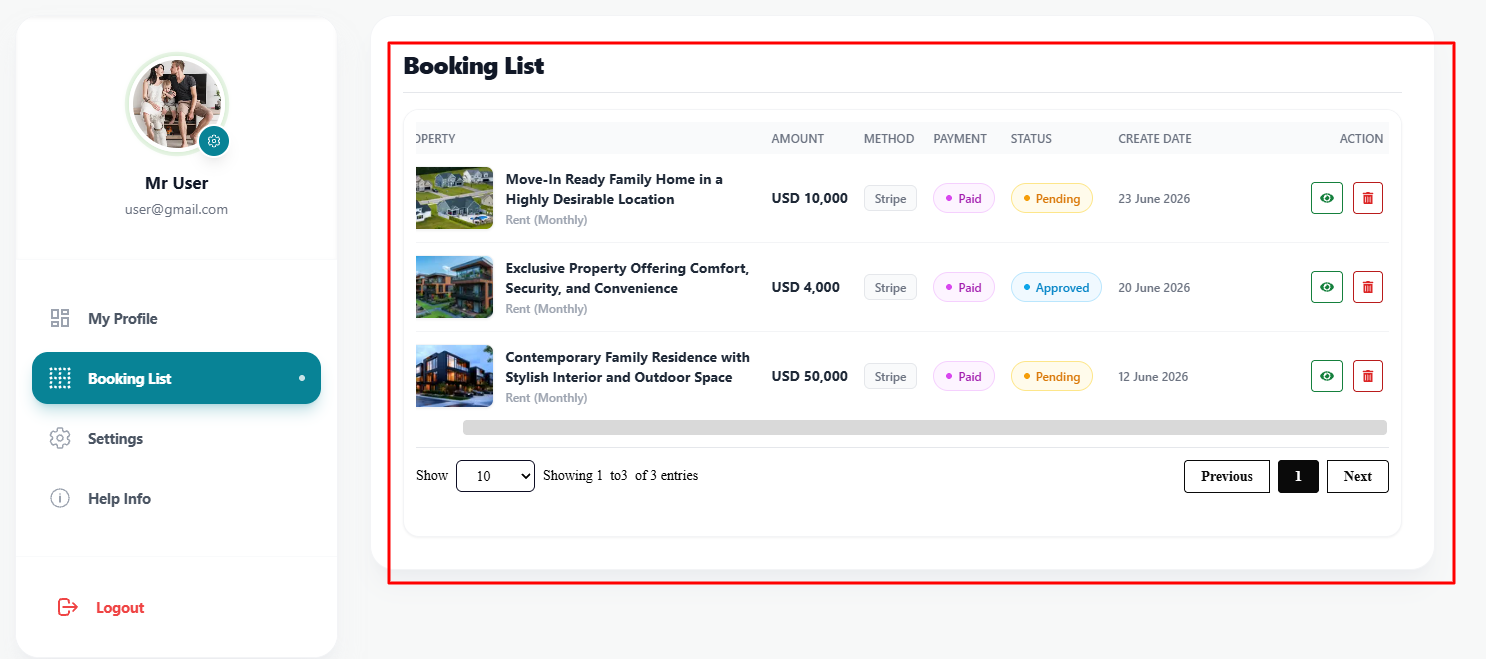
Within the booking table, you can perform two main actions:
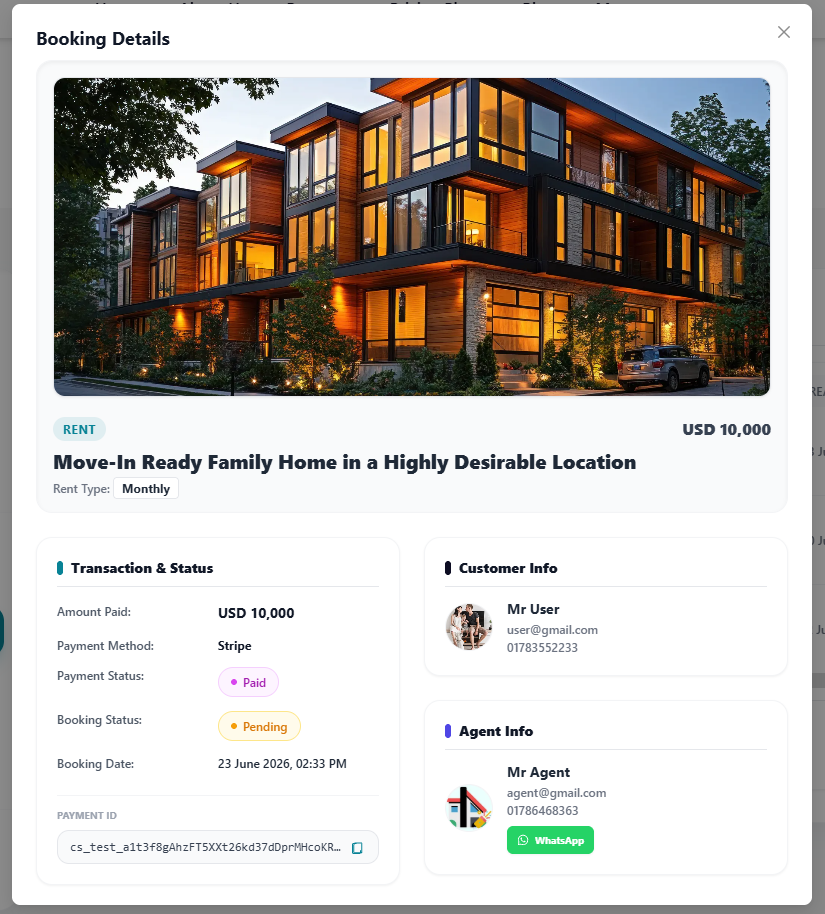
1. View Booking Details
If you want to see more information about a specific booking, you can click the view button (usually an eye icon) next to the booking in the table. This will open a detailed view showing the property information, pricing, and other relevant details.
2. Delete a Booking
If you need to cancel or remove a booking from your record, you can click the Delete button (trash icon) in the action column of the table. The booking will be successfully removed from your list.