Booking List
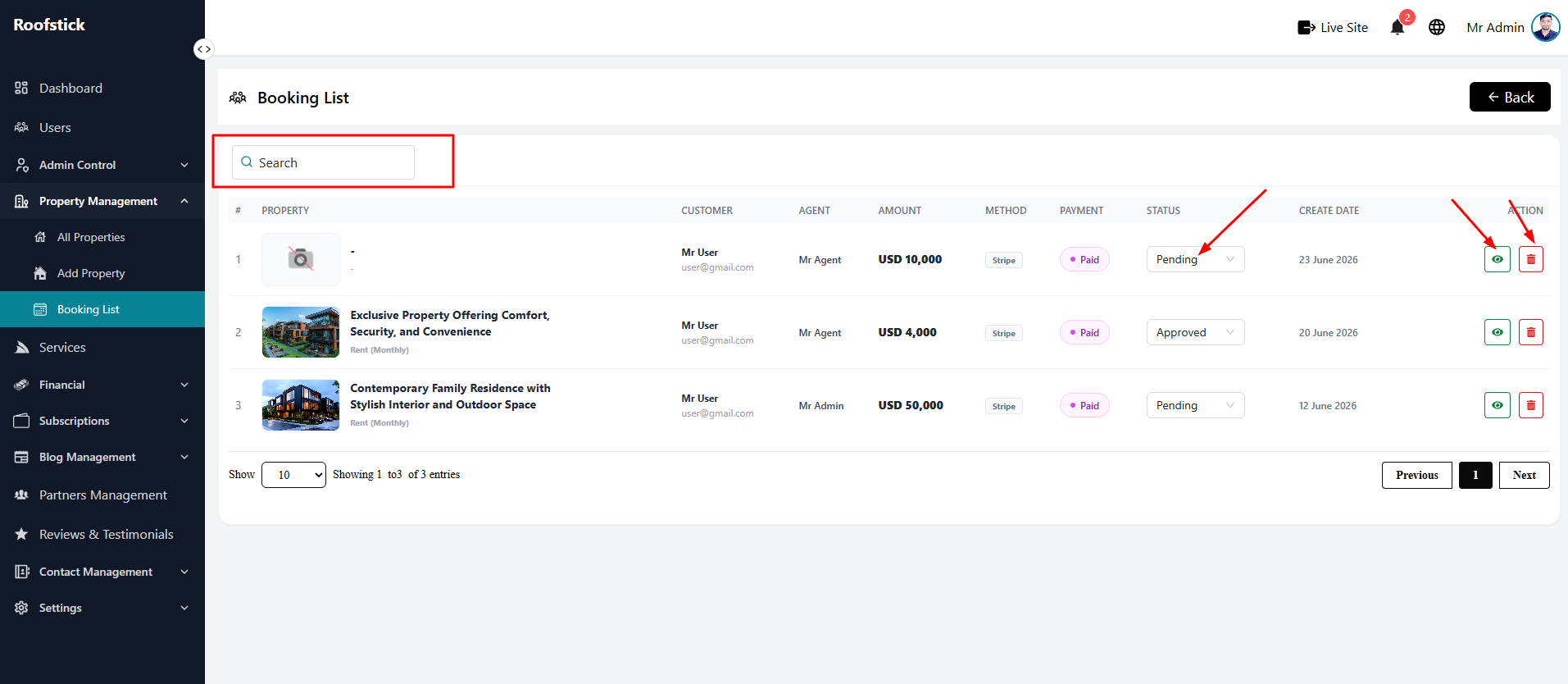
The Booking List page provides agents with a comprehensive view of all property reservations made for their listings. From this section, the agent can monitor bookings, check detailed information, and manage the records.
1. View All Bookings
The main table displays a complete list of all bookings for your properties. You can easily see important information such as the property name, the user who booked it, the booking dates, and the total price.
2. Booking Details
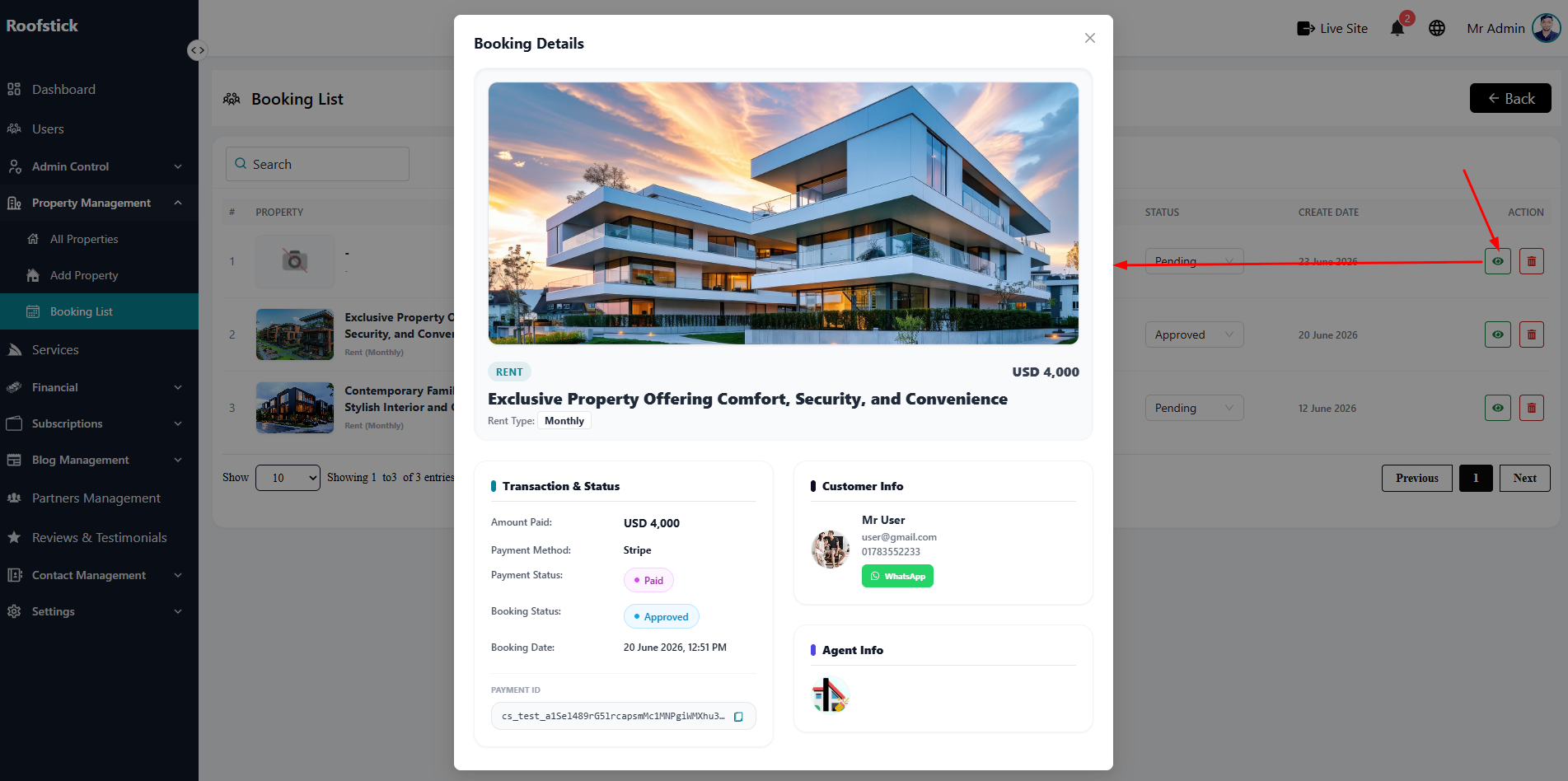
To see the full, in-depth information about a specific reservation, click the View Details button (eye icon) in the action column. This opens a detailed page showing the complete breakdown of the booking, including user contact info and payment status.
3. Delete Booking
If a booking is canceled, fraudulent, or needs to be removed from your records, you can click the Delete button (trash icon). This will permanently remove the booking record.