Manage Agents
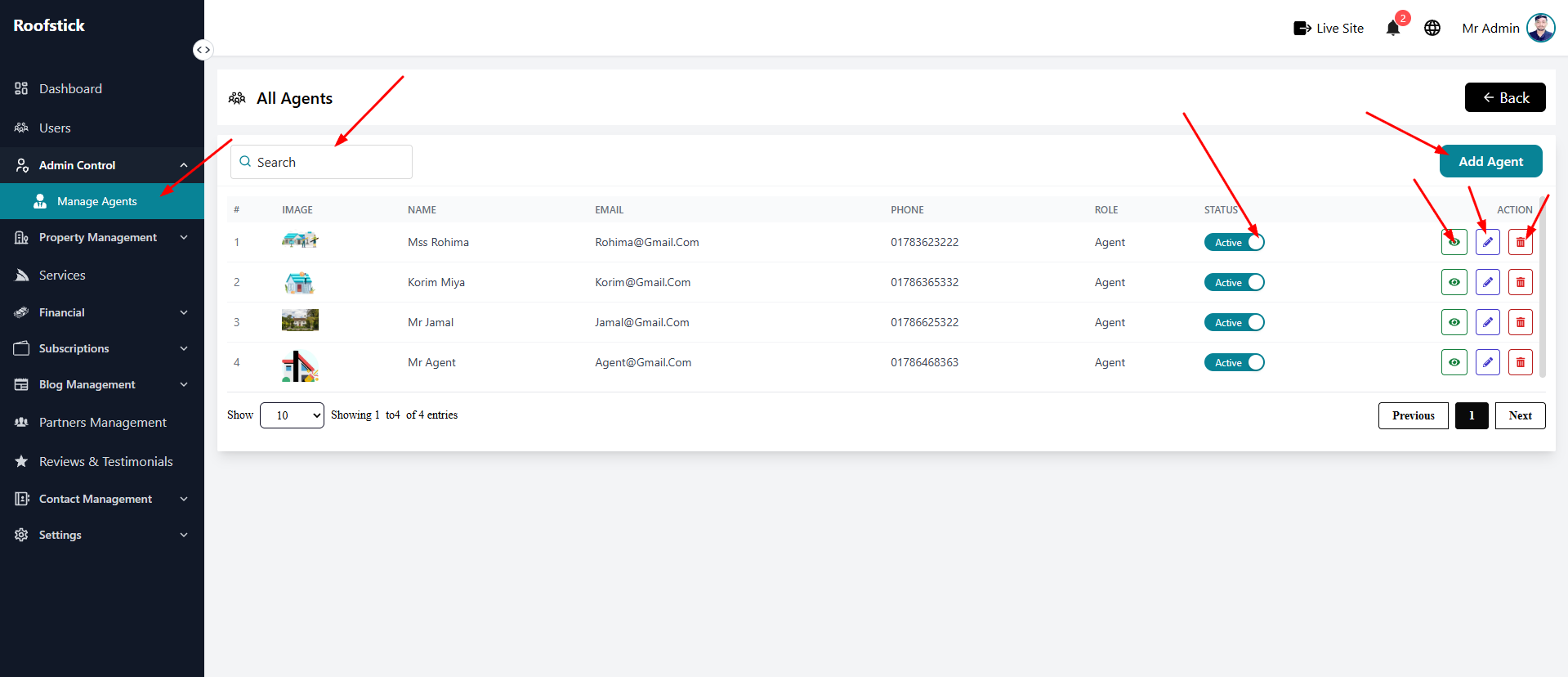
The Manage Agents page allows administrators to have full control over the agents registered on the platform. From this section, admins can view, add, edit, or delete agents, as well as view their detailed information.
1. View All Agents
The main table provides a complete list of all agents. You can see their basic information and manage their accounts from the action column.
2. Add New Agent
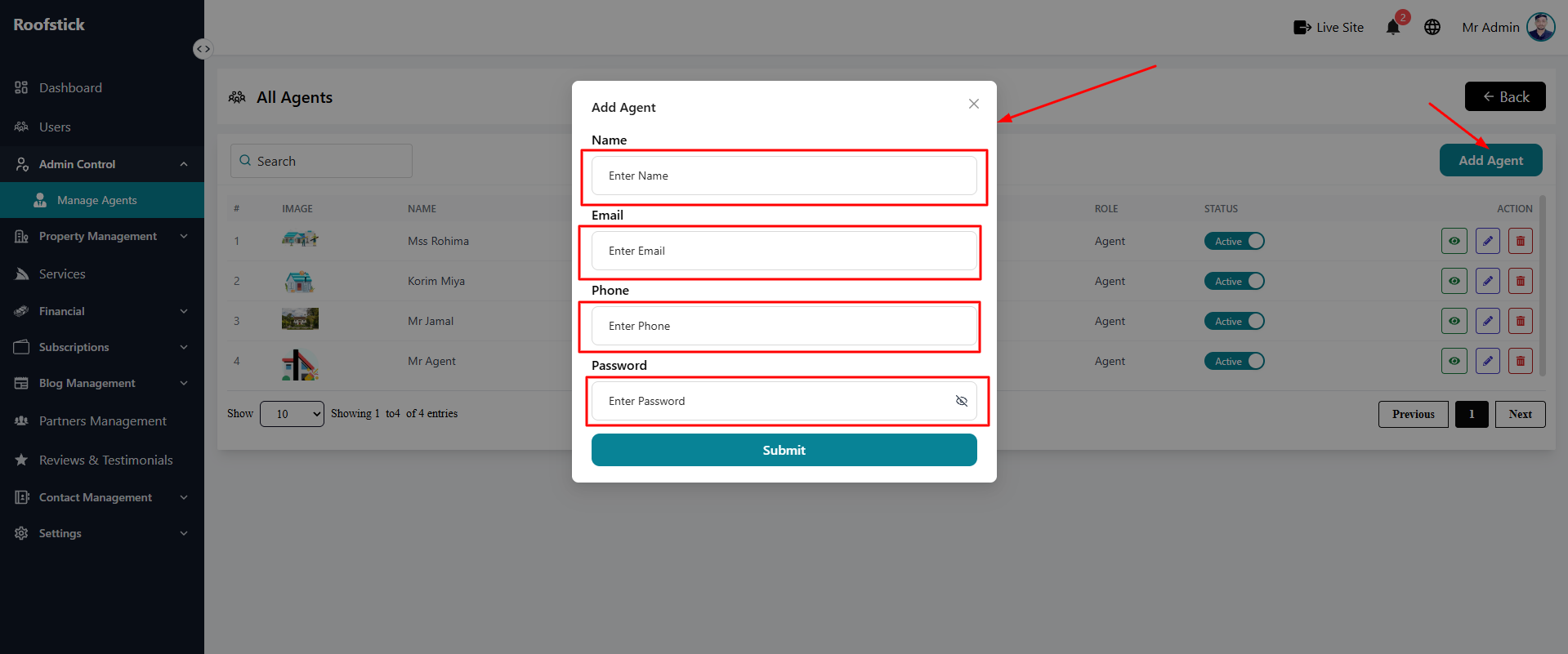
If you need to manually add a new agent to the platform, click the Add Agent button. Fill out the required details such as name, email, and password, and submit the form.
3. Edit Agent
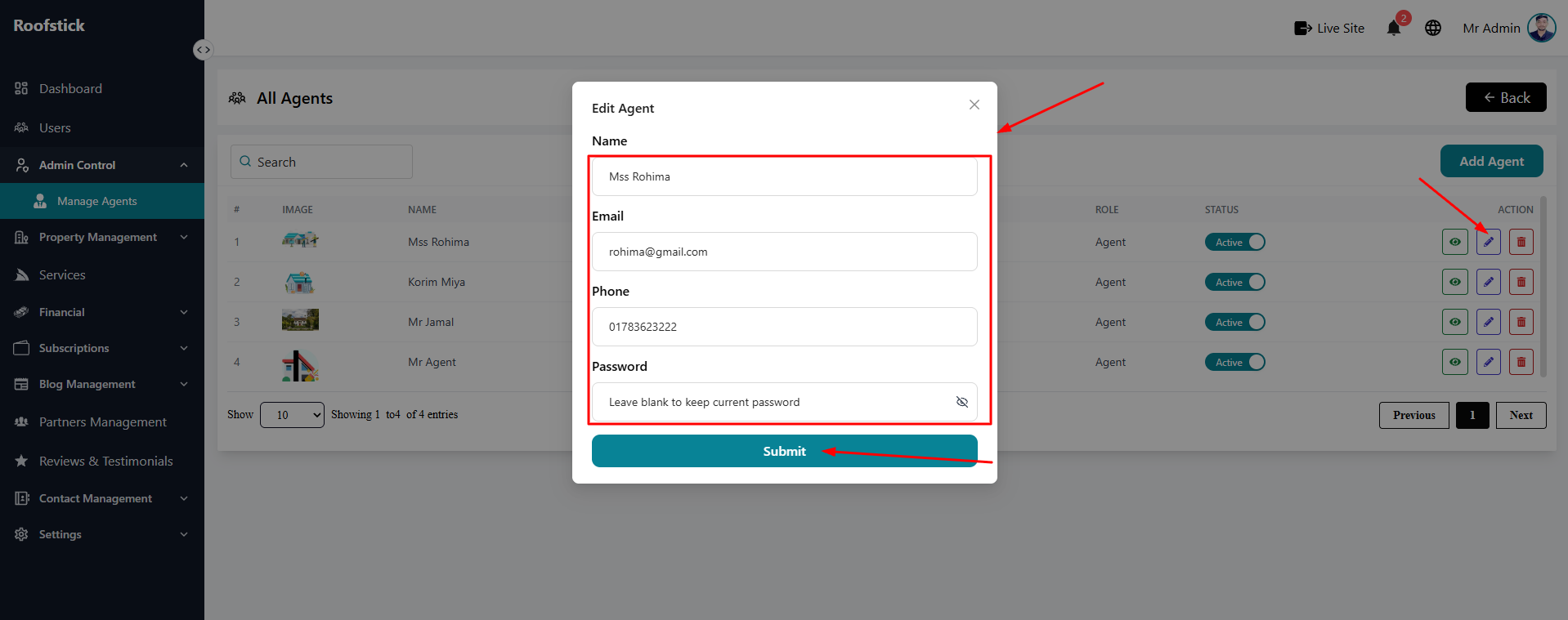
To update an existing agent's information, click the Edit button in the action column. This allows you to change their personal details or account settings.
4. Agent Details
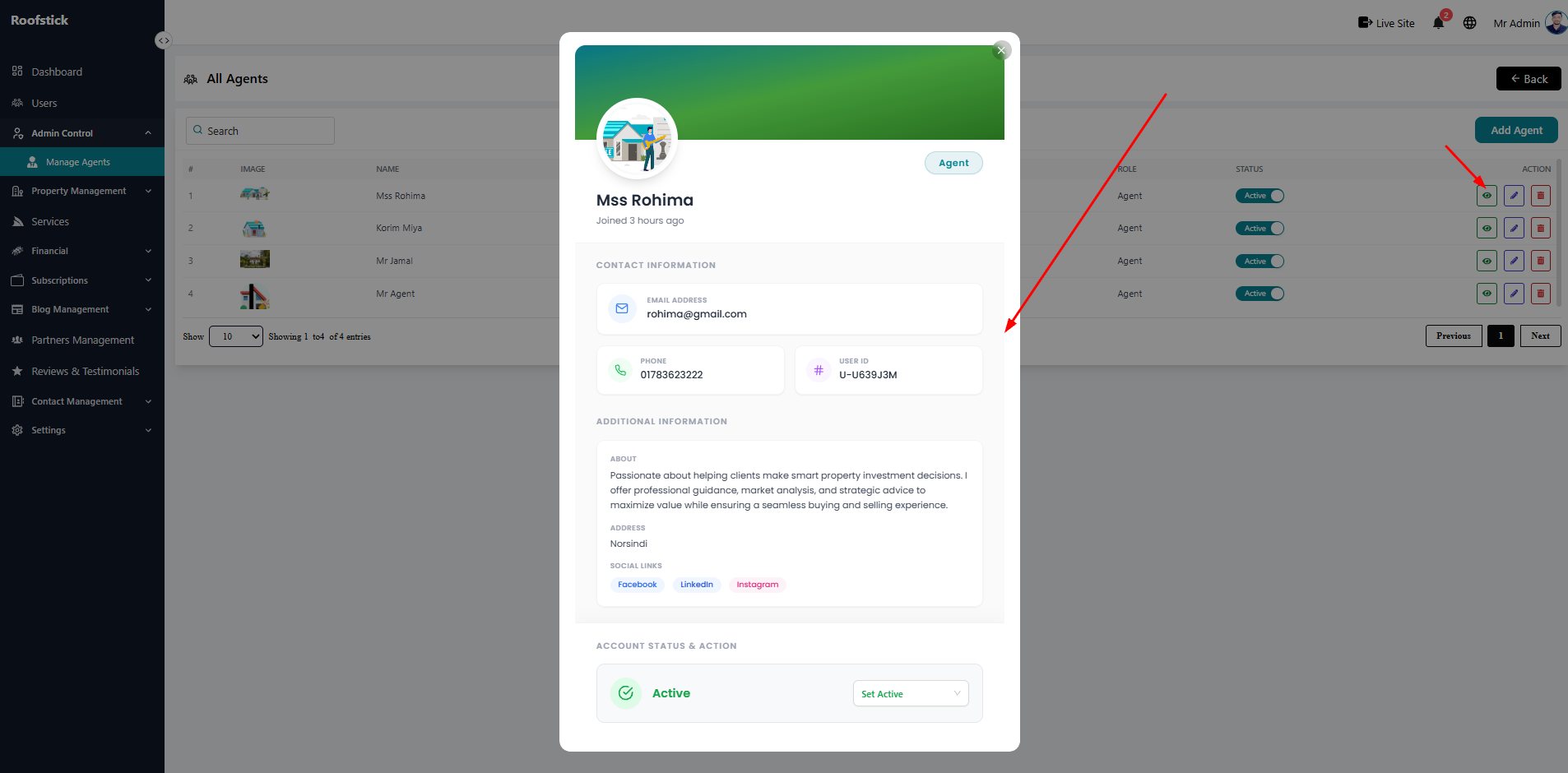
For a comprehensive view of a specific agent, click the View Details button. This page displays their full profile, including their listed properties, subscription status, and activity.
5. Delete Agent
If an agent violates platform rules or requests account removal, the admin can permanently remove them by clicking the Delete button (trash icon) in the action column. A confirmation will appear before the agent is removed from the system.