Contact Inquiries
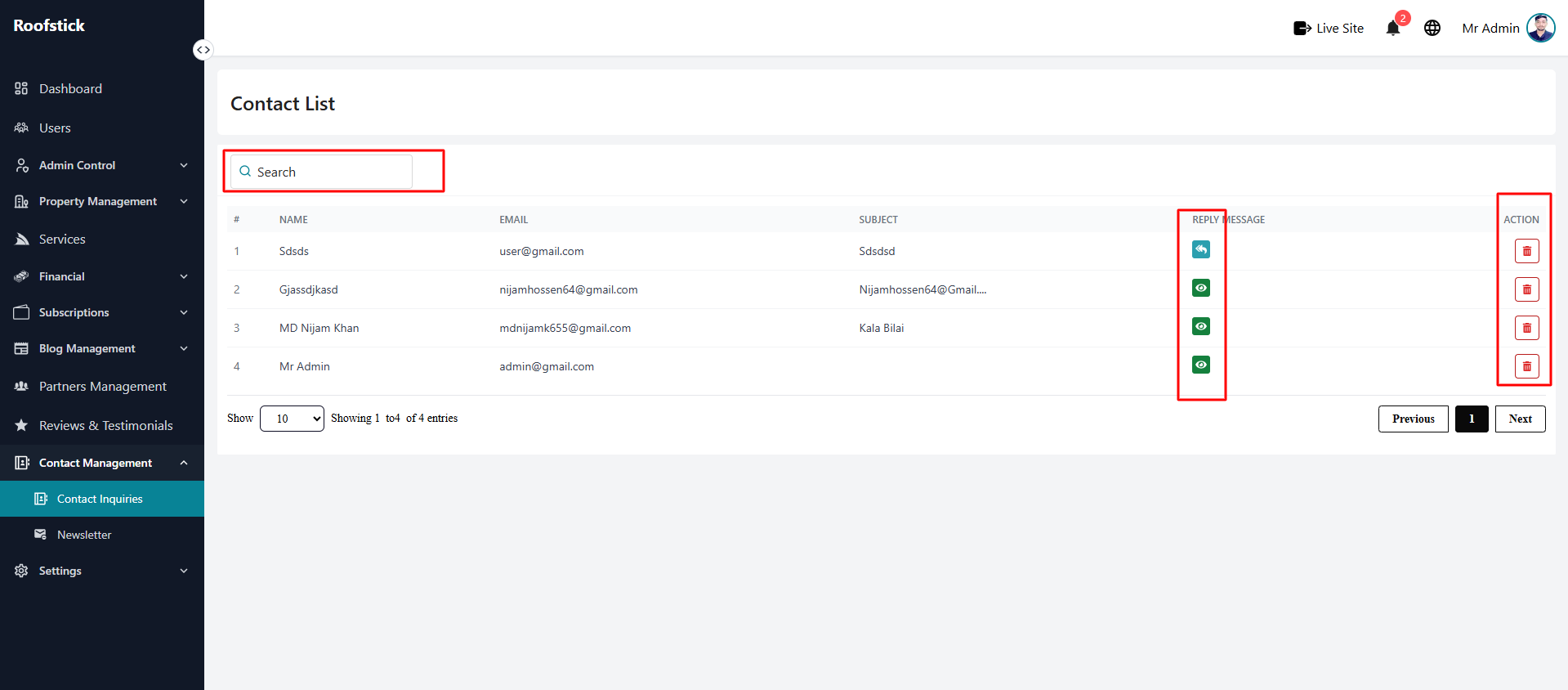
The Contact Inquiries page allows the admin to manage and view all the messages and inquiries sent by users through the contact form. From this section, the admin can view the list of messages, read detailed inquiries, reply to them, and delete old or spam messages.
1. View All Inquiries
The main table displays a complete list of all contact inquiries received from users. You can easily review the sender's name, email, the subject of their message, and their current status (e.g., pending or replied), as well as manage them through the action column.
2. View Inquiry Details
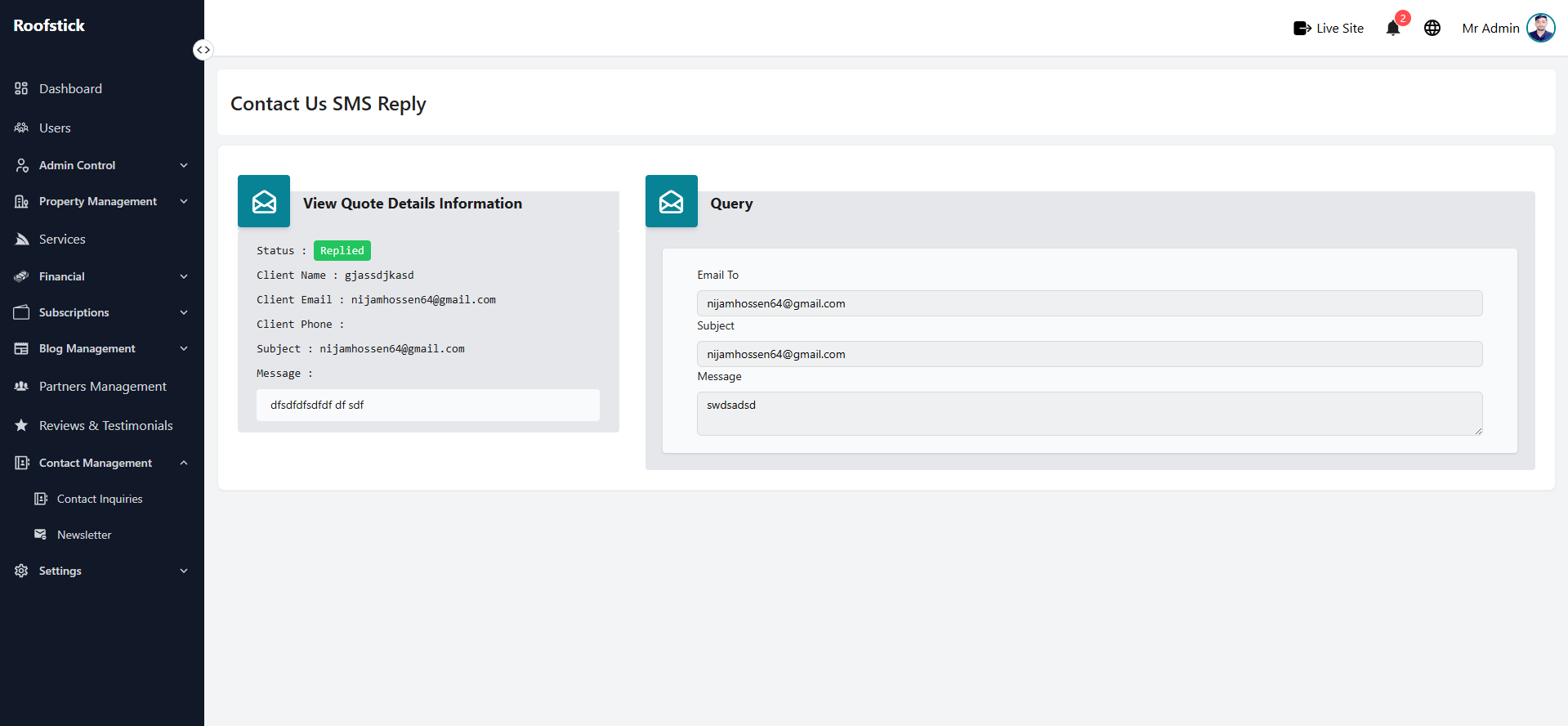
To read the full message sent by a user, click the View button in the action column. A detailed view will open, displaying the entire content of the inquiry along with the sender's complete contact information.
3. Reply to Inquiry
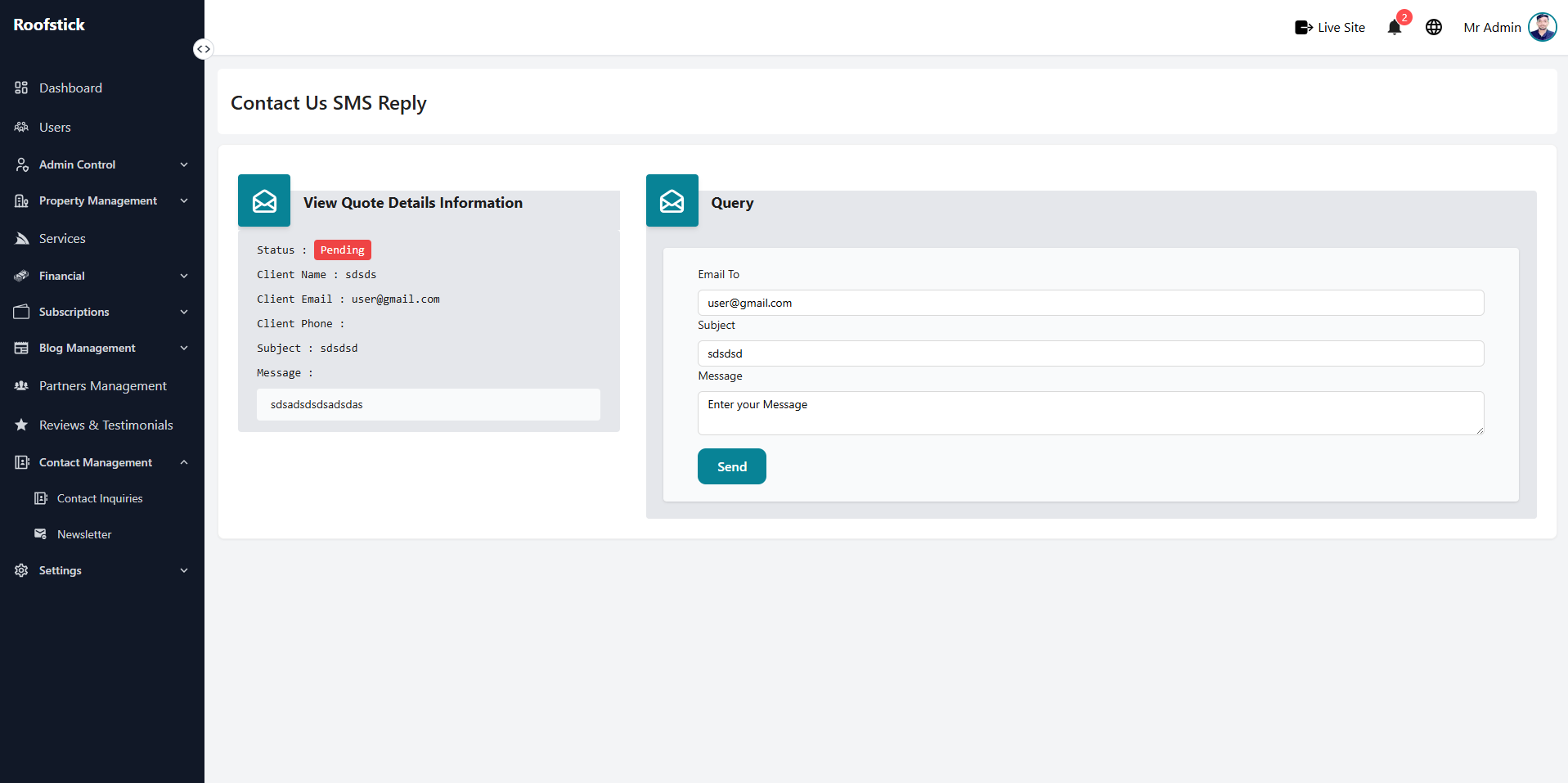
If you need to respond to a user's question or concern, click the Reply button. You can formulate your response directly from this panel, ensuring that users receive timely and helpful feedback.
4. Delete Inquiry
If a message is spam, irrelevant, or has already been resolved and is no longer needed, the admin can permanently remove it by clicking the Delete button (trash icon). This will immediately remove the inquiry from the system.