Users
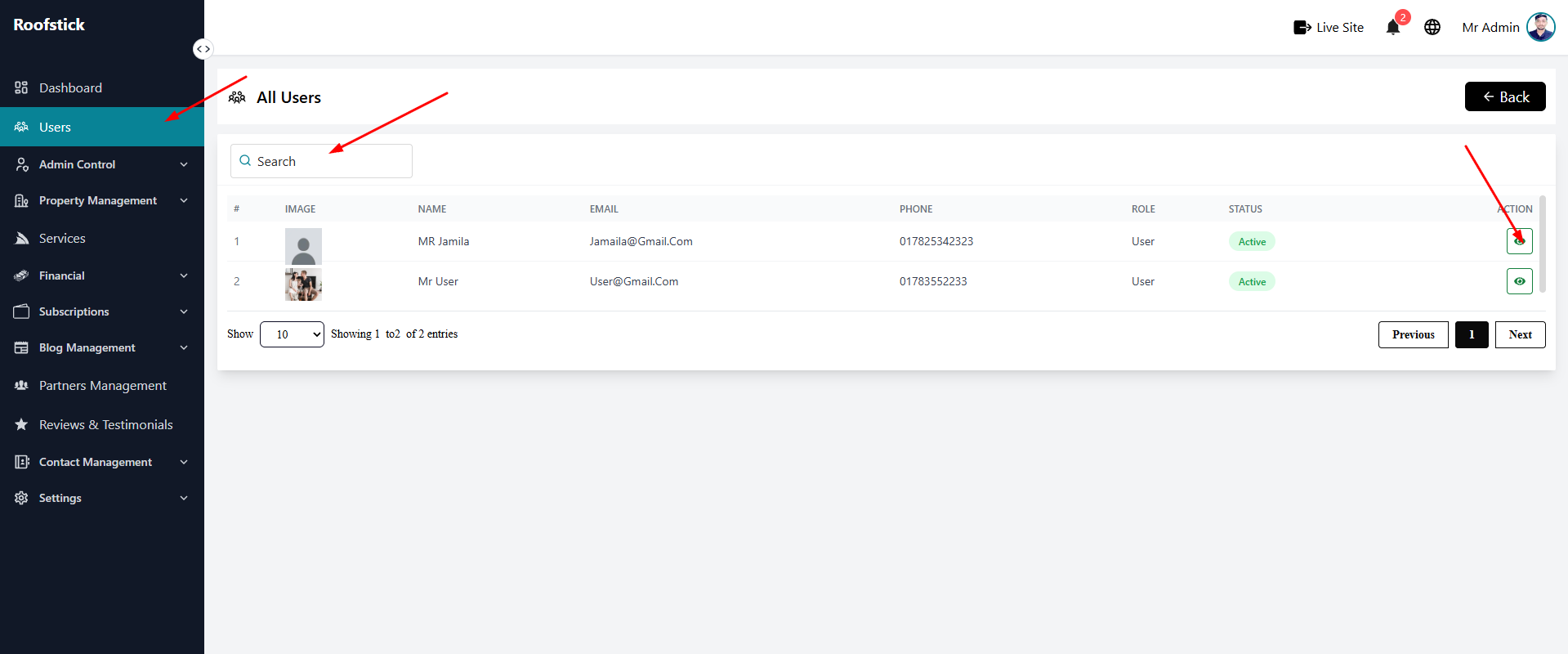
The Users page allows the admin to monitor and manage all the normal users registered on the platform. This section provides a comprehensive overview of user accounts and their activities.
1. View & Filter Users
The main table displays all existing users along with their key information. You can easily organize the list using the filter option to sort users based on their roles or status.
2. Search Users
If you need to find a specific person quickly, use the Search Bar located at the top of the table. You can search by entering a user's name or email address.
3. User Details
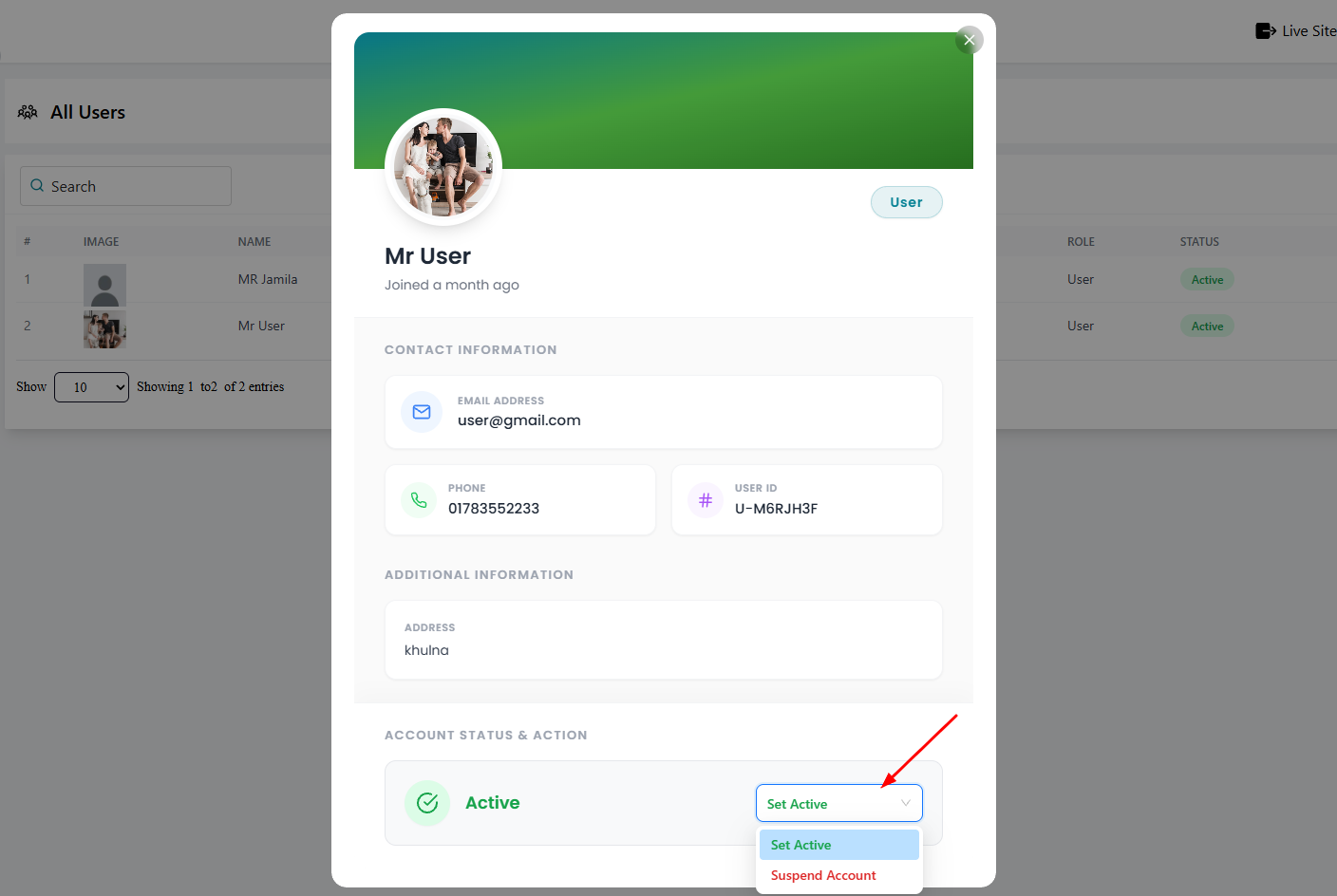
To view in-depth information about a specific user, click the Action / View button (eye icon) next to their name. This opens a dedicated details page where you can review their complete profile, bookings, and platform activity.