Partners Management
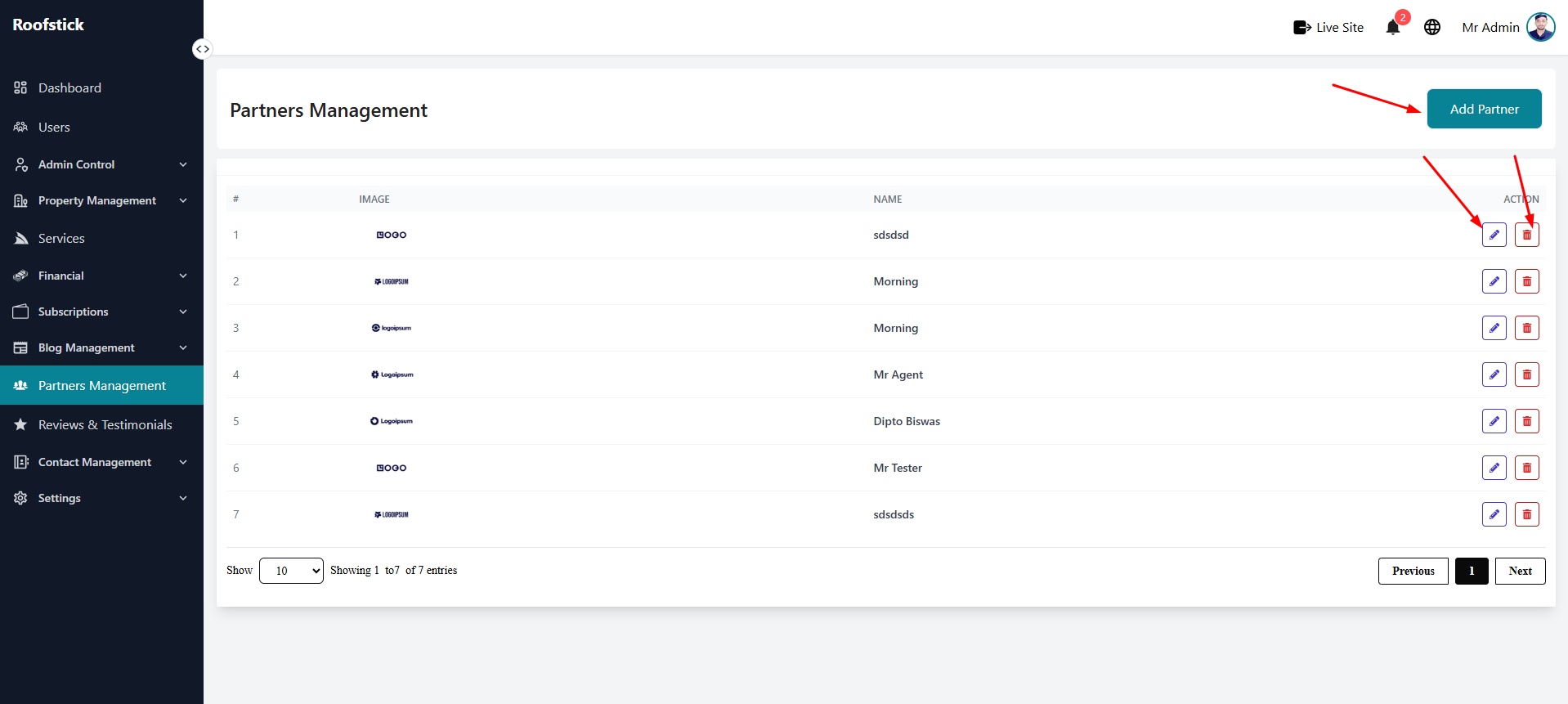
The Partners Management page allows the admin to manage and list all the partners associated with the platform. From this section, the admin can view, add, edit, and delete partners.
1. View All Partners
The main table displays a complete list of all currently active partners. You can easily review the details, contact information, and current status associated with each partner, as well as manage them through the action column.
2. Add New Partner
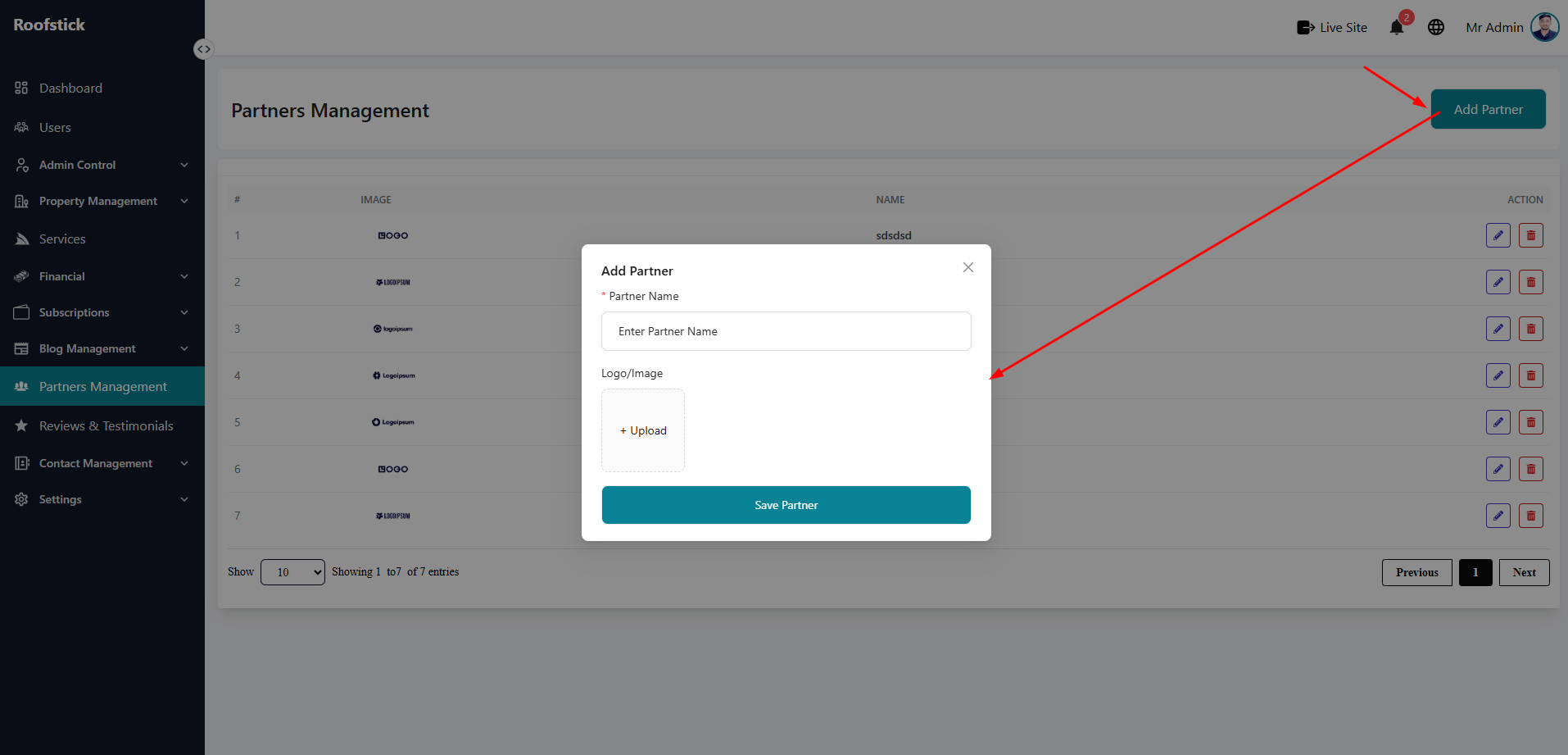
To introduce a new partner to your platform, click the Add Partner button. You will be prompted to provide the partner's name, company details, contact information, and upload a relevant logo.
3. Edit Partner
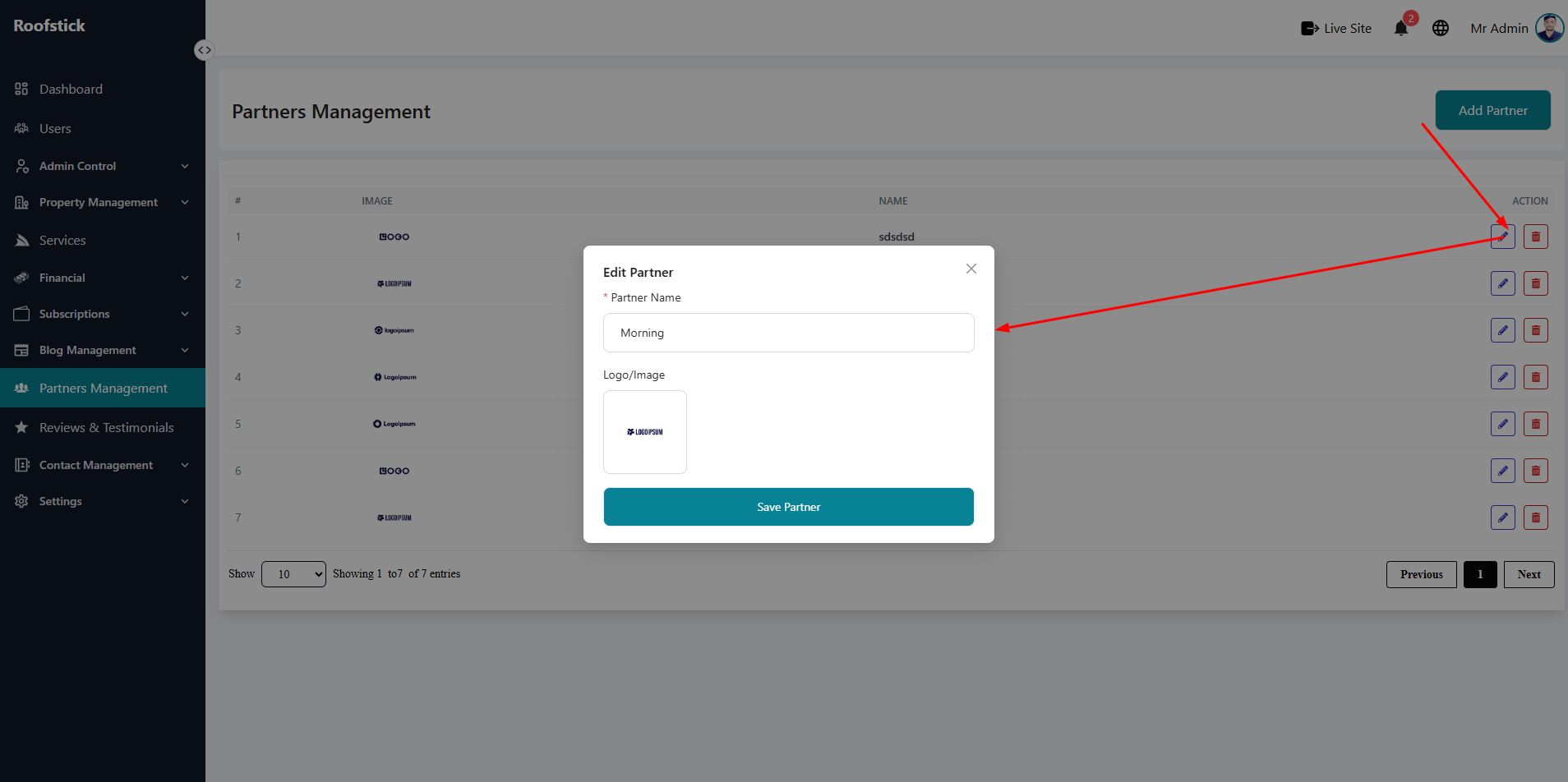
If you need to update the details, fix a typo, or change the status of an existing partner, click the Edit button in the action column. Make your changes and save them to instantly update the records.
4. Delete Partner
If a partnership is no longer active, the admin can permanently remove it by clicking the Delete button (trash icon). This will immediately remove the partner from the system.