Withdrawal Requests
The Withdrawal Requests page allows the admin to manage and monitor payout requests made by agents. From this section, you can review financial transactions and ensure agents receive their earnings securely.
1. View All Requests
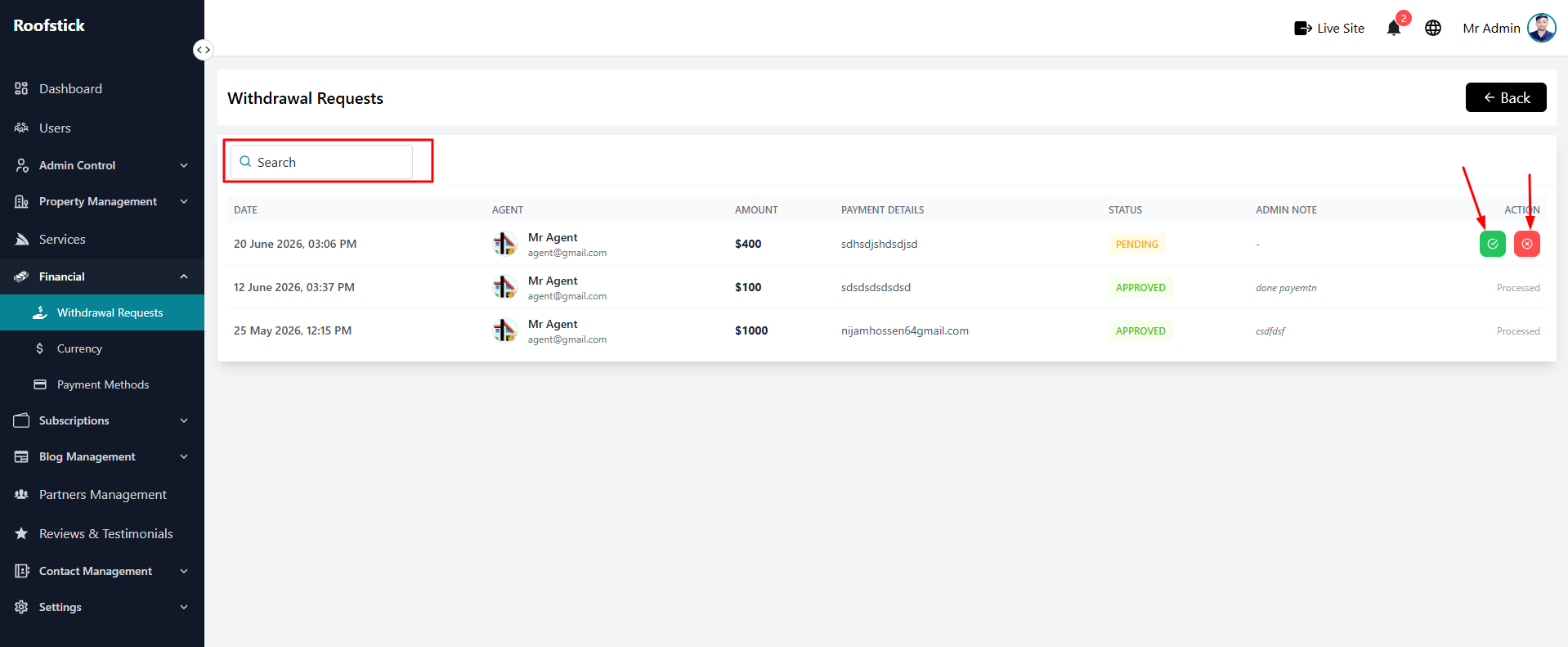
The main table displays a complete list of all withdrawal requests submitted by agents. You can quickly see the agent's name, the requested amount, the payment method, and the current status (e.g., Pending, Approved, Rejected).
2. Approve Request
Once you have reviewed a pending request and verified the agent's earnings, you can approve the withdrawal. Approving the request will update the status to "Approved" and indicate that the funds are being transferred to the agent's account.
3. Reject Request
If there is an issue with the request (e.g., invalid payment details, insufficient funds, or policy violations), the admin has the authority to click the Reject button. This will deny the payout and update the status accordingly.