Blog Categories
The Blog Categories page allows the admin to organize blog posts into broad topics. Managing categories helps users easily navigate and find content relevant to their interests on your platform's blog.
1. View All Categories
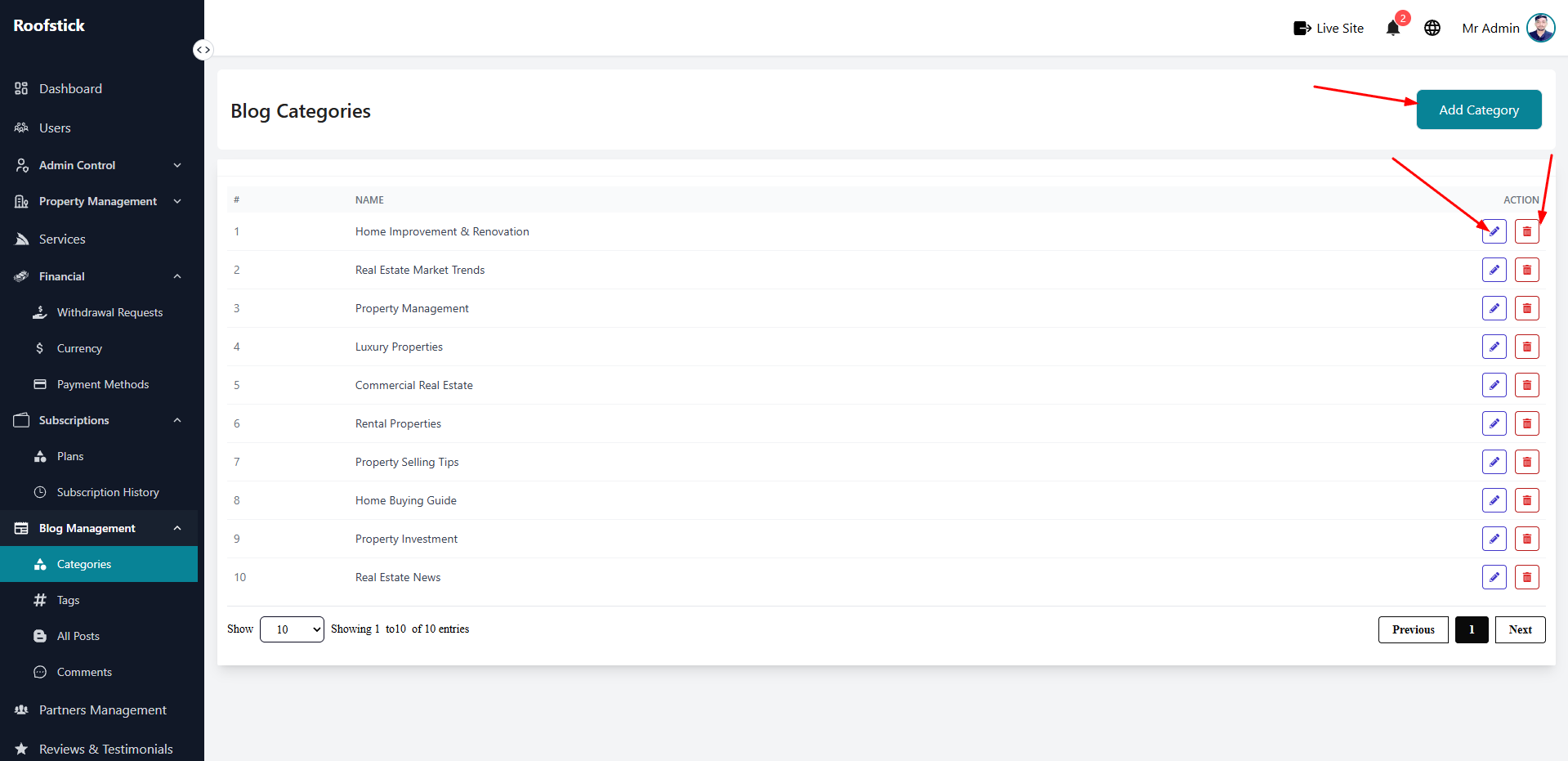
The main table lists all the blog categories you have created. You can quickly review the category name, its description, and see how many posts are assigned to each category.
2. Add New Category
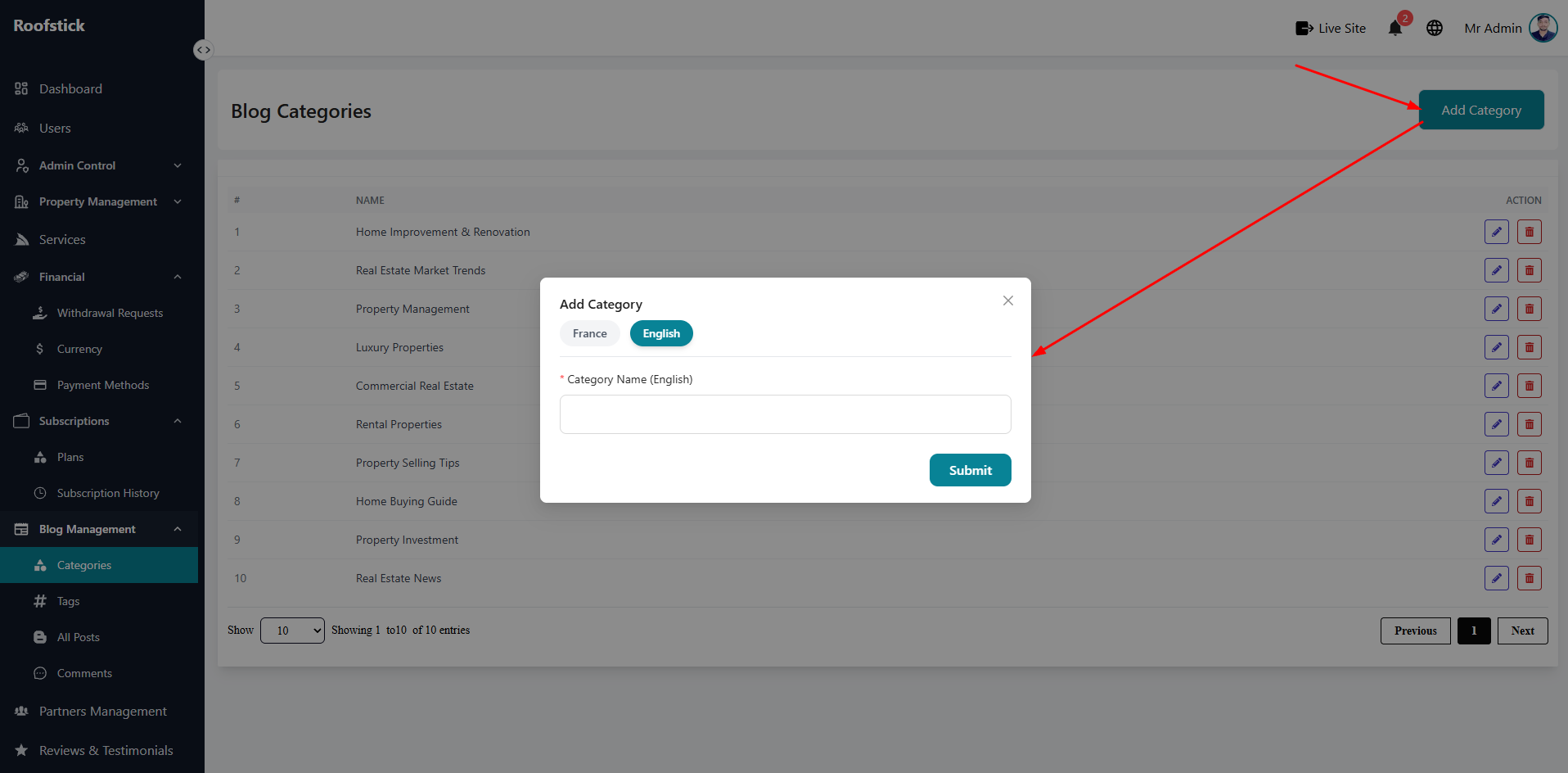
To create a new topic for your blog, click the Add Category button. You will need to provide a title and a brief description for the new category so writers can start assigning their posts to it.
3. Edit Category
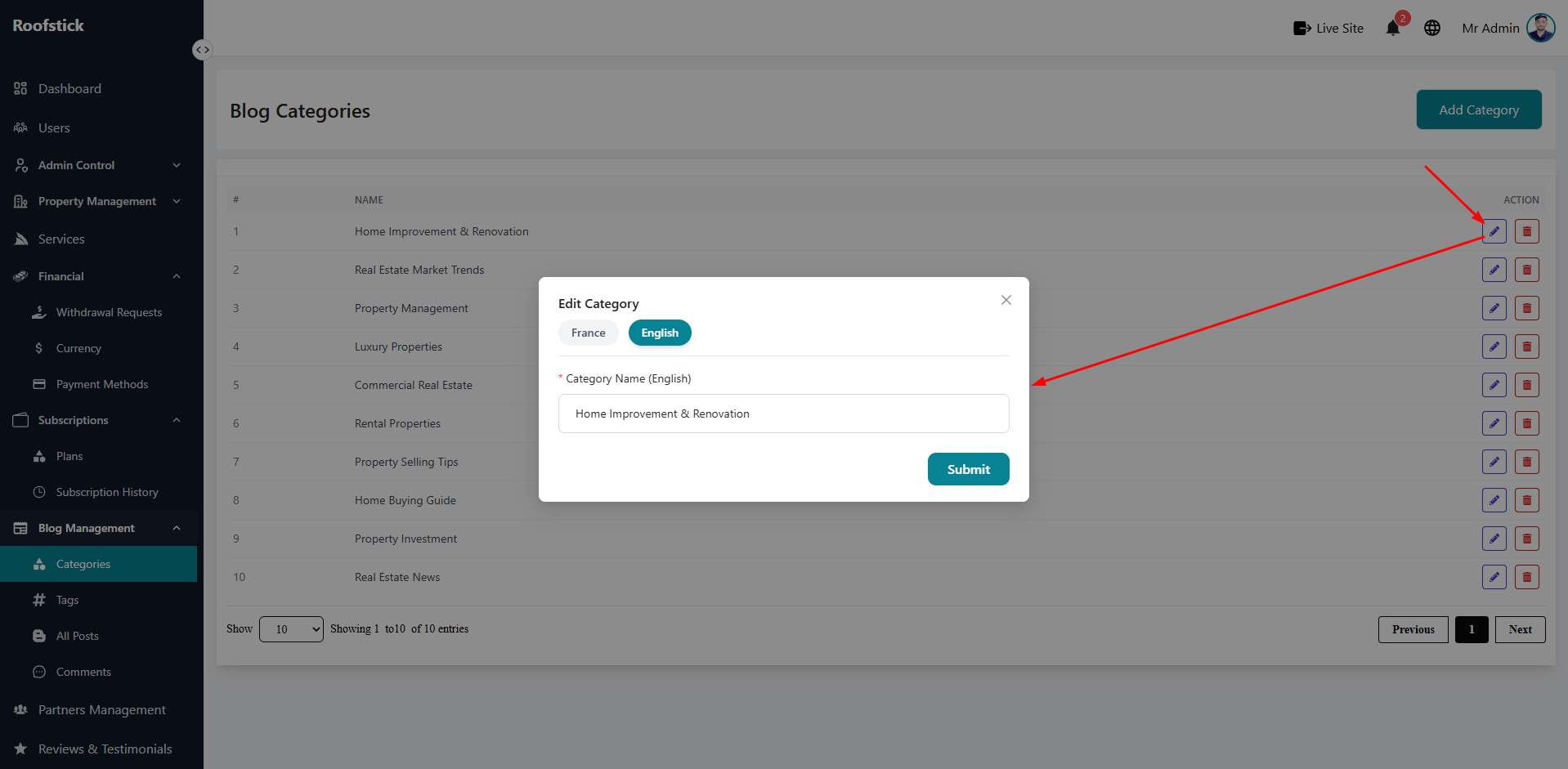
If you want to rename a category or update its description, click the Edit button in the action column. Any changes you make will be instantly reflected across all associated blog posts on the live site.
4. Delete Category
If a category is no longer relevant, you can remove it by clicking the Delete button (trash icon). Ensure that no essential posts are orphaned before deleting.