Blog Tags
The Blog Tags page allows the admin to manage specific keywords associated with blog posts. While categories are broad, tags help users filter for highly specific topics and improve the searchability of your blog.
1. View All Tags
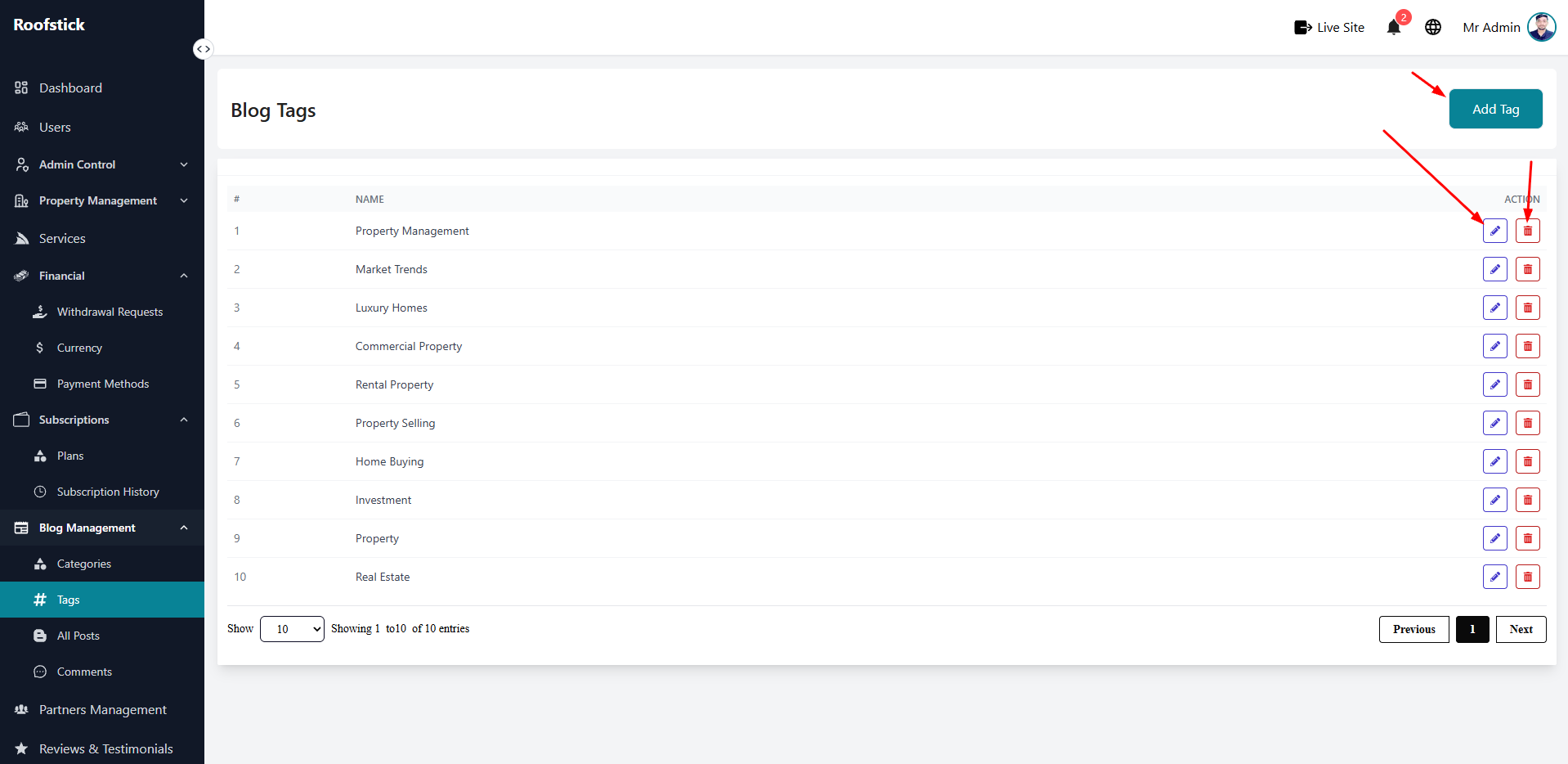
The main table displays all the active tags currently used on your platform's blog. You can view the tag names and manage them efficiently from this section.
2. Add New Tag
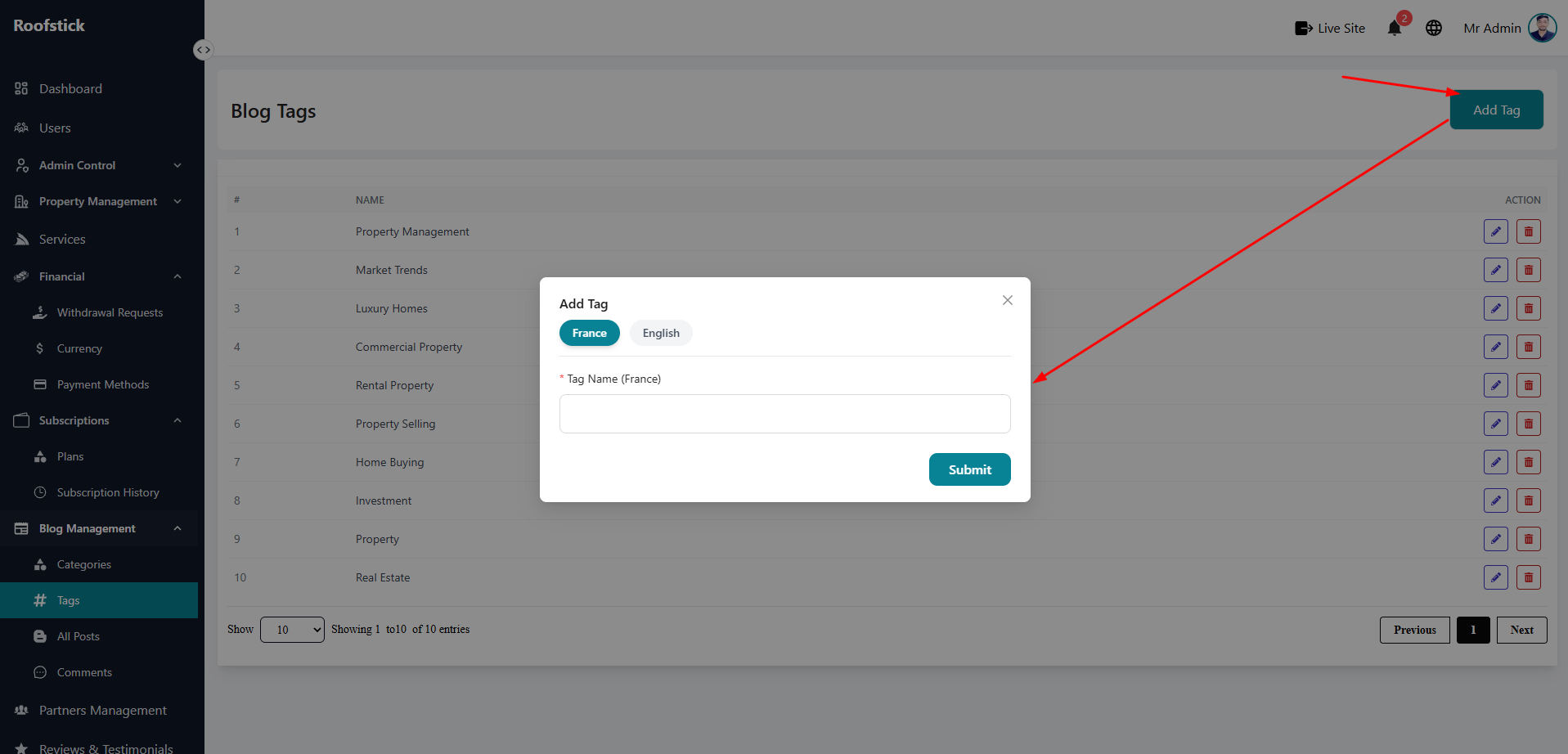
To introduce a new keyword for future blog posts, click the Add Tag button. Simply type the name of the tag and save it so your writers can begin attaching it to their articles.
3. Edit Tag
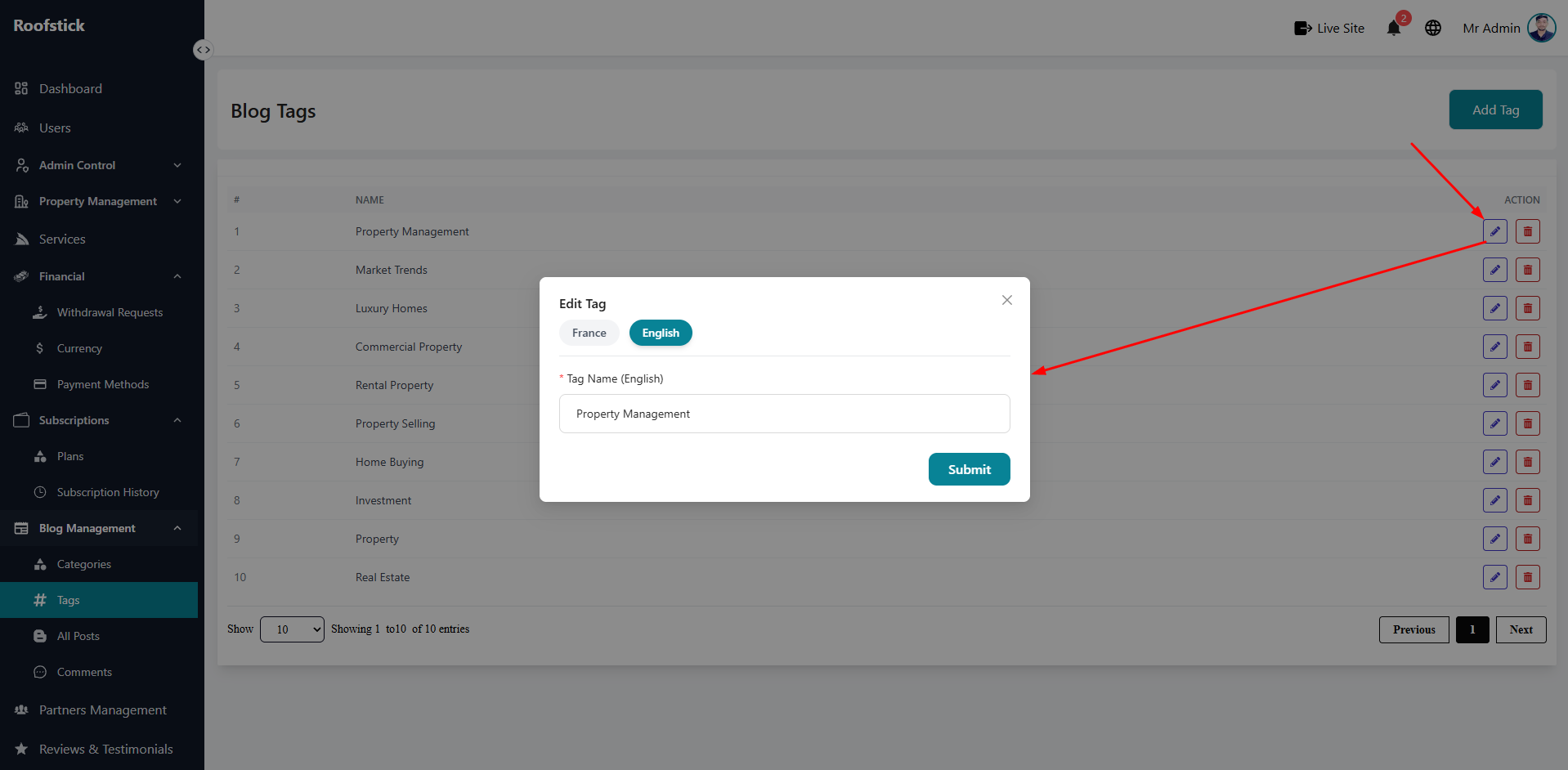
If there is a spelling mistake or you want to update a tag's name to be more relevant, click the Edit button in the action column. The updated tag will automatically reflect on all posts using it.
4. Delete Tag
If a tag is redundant or no longer useful for SEO or filtering, you can click the Delete button (trash icon) to permanently remove it from the system.