Plans
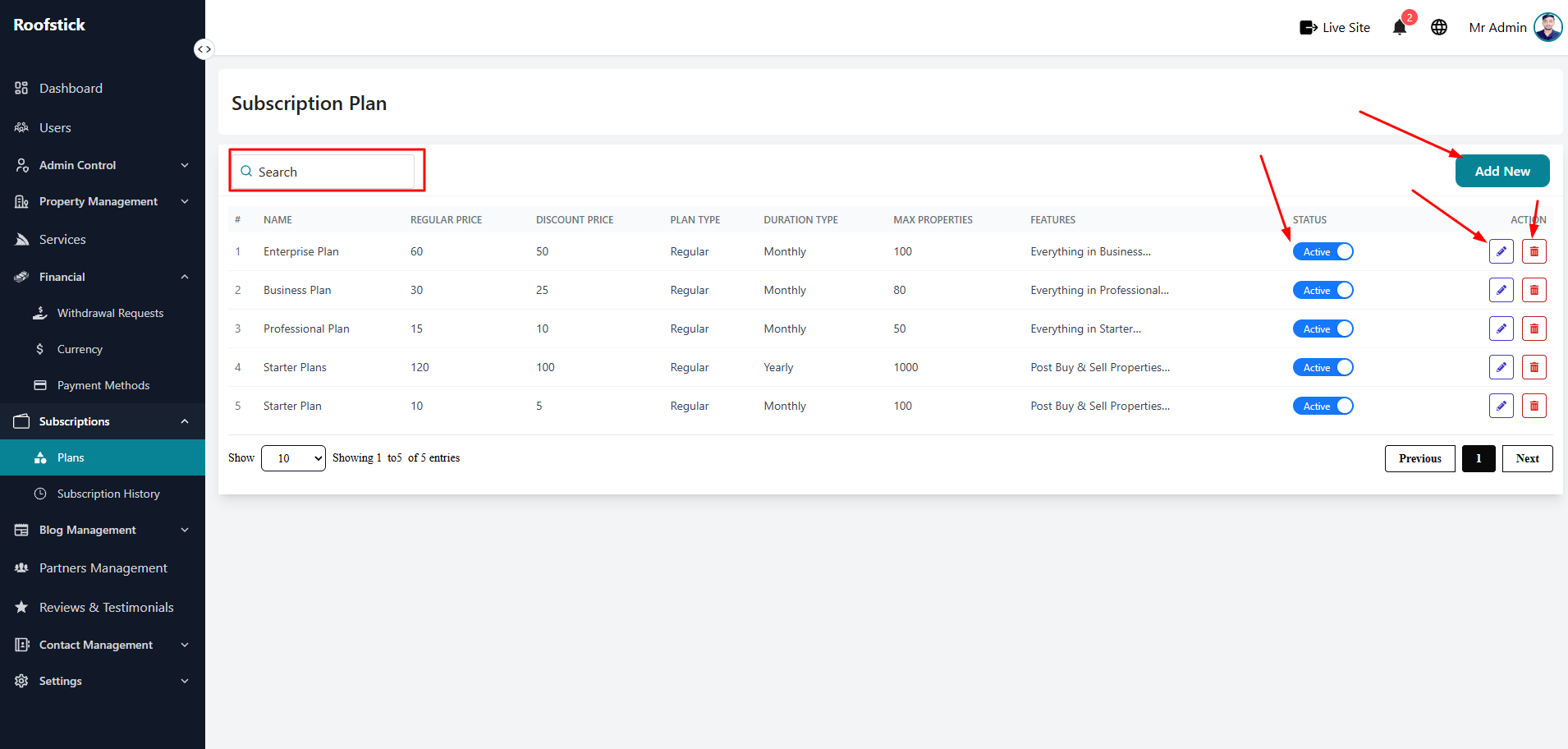
The Plans page allows the admin to create and manage the subscription packages that agents or users can purchase. Subscriptions are a great way to monetize your platform by offering different tiers of service.
1. View All Plans
The main table displays all the active subscription plans currently available on your platform. You can easily view the plan name, price, duration, and the features included in each tier (e.g., maximum properties allowed).
2. Add New Plan
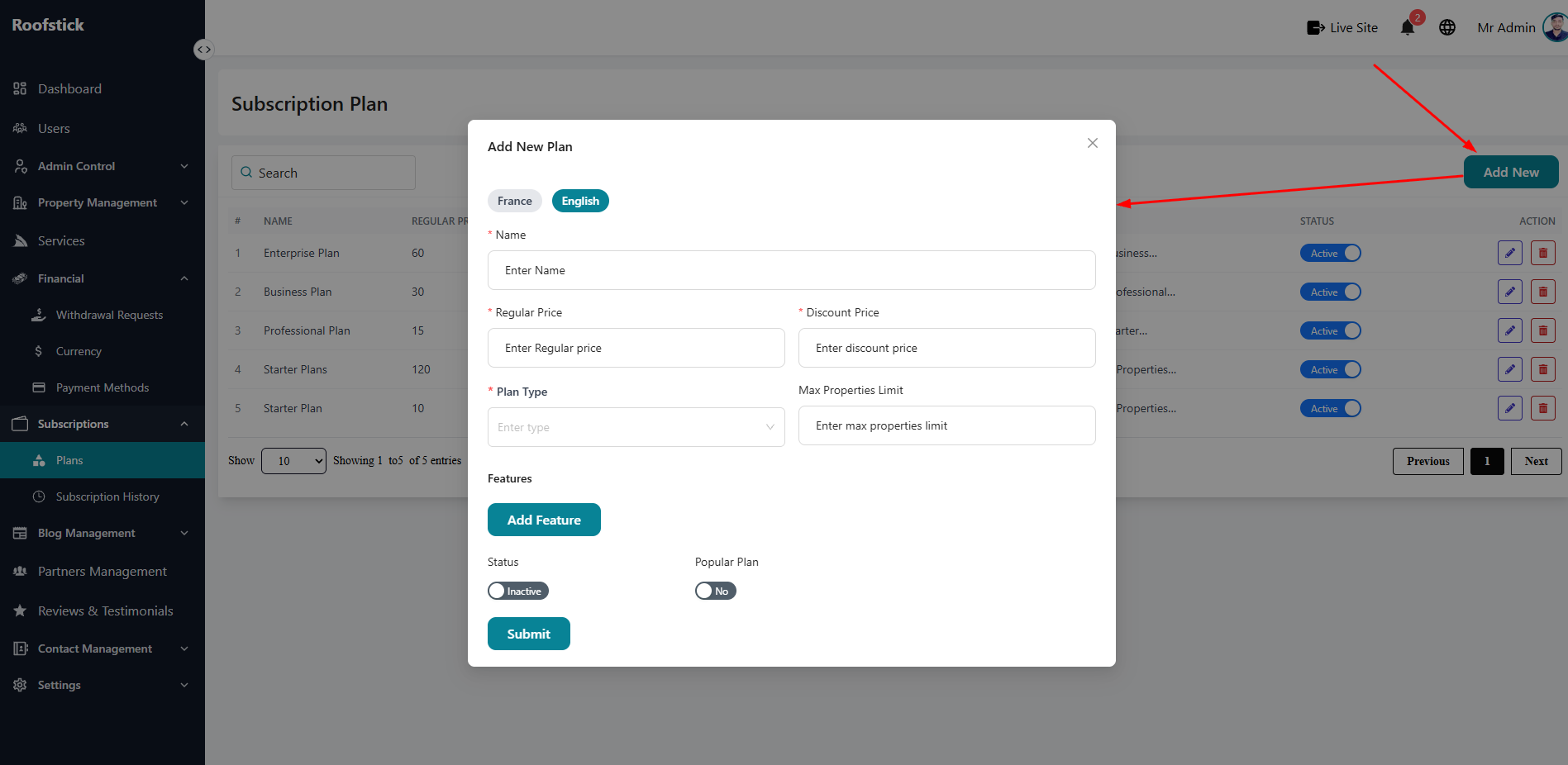
To create a brand new subscription package, click the Add Plan button. You will be prompted to enter the plan details, such as the title, billing cycle (monthly/yearly), price, and the specific limits or features this plan unlocks.
3. Edit Plan
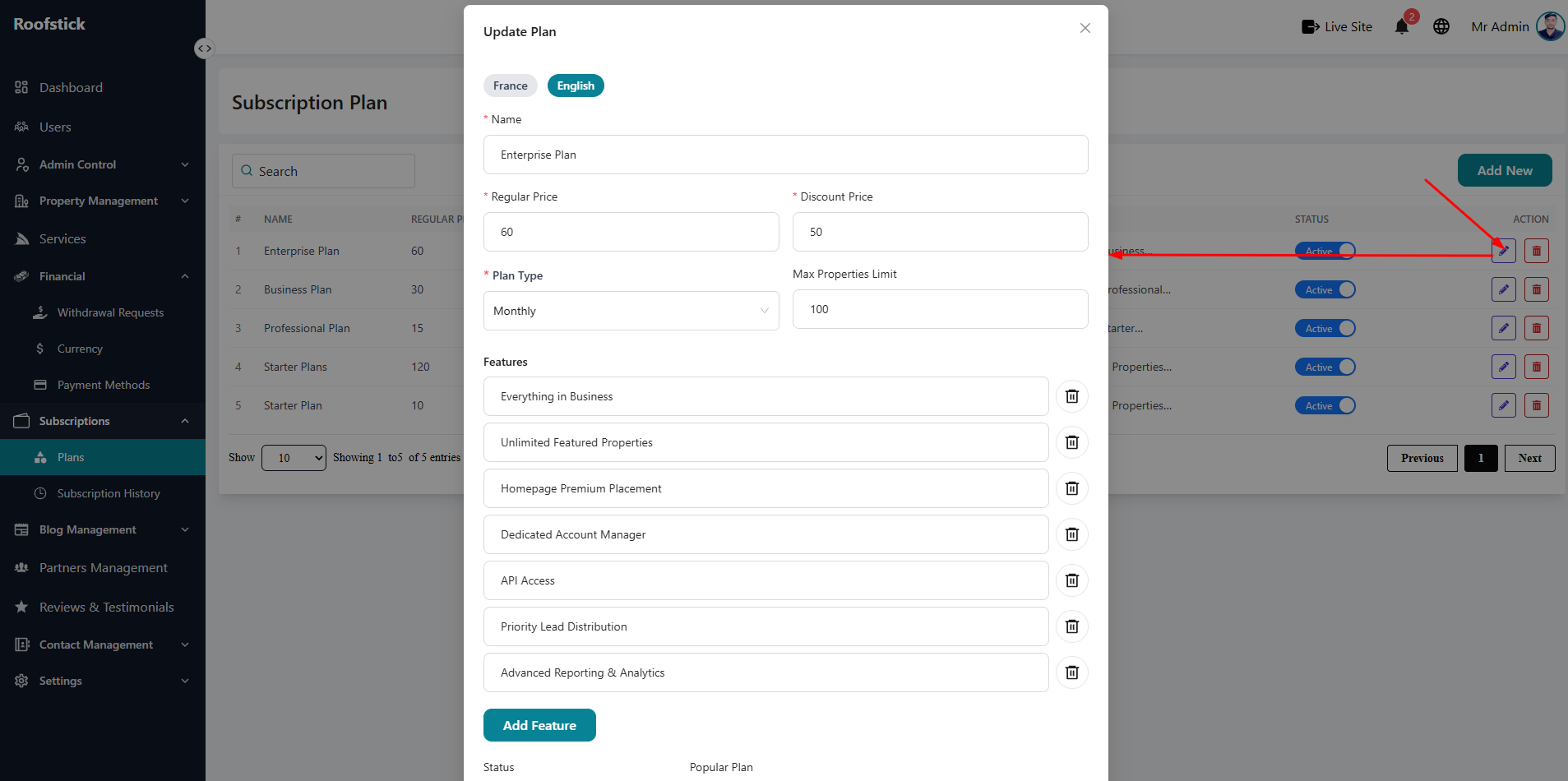
If you need to change the pricing of a tier or update its features, click the Edit button in the action column. This ensures your subscription offerings can adapt to your business needs without having to create entirely new plans from scratch.
4. Delete Plan
If a subscription plan is obsolete or you want to stop offering it to new users, you can remove it by clicking the Delete button (trash icon).