Subscription History
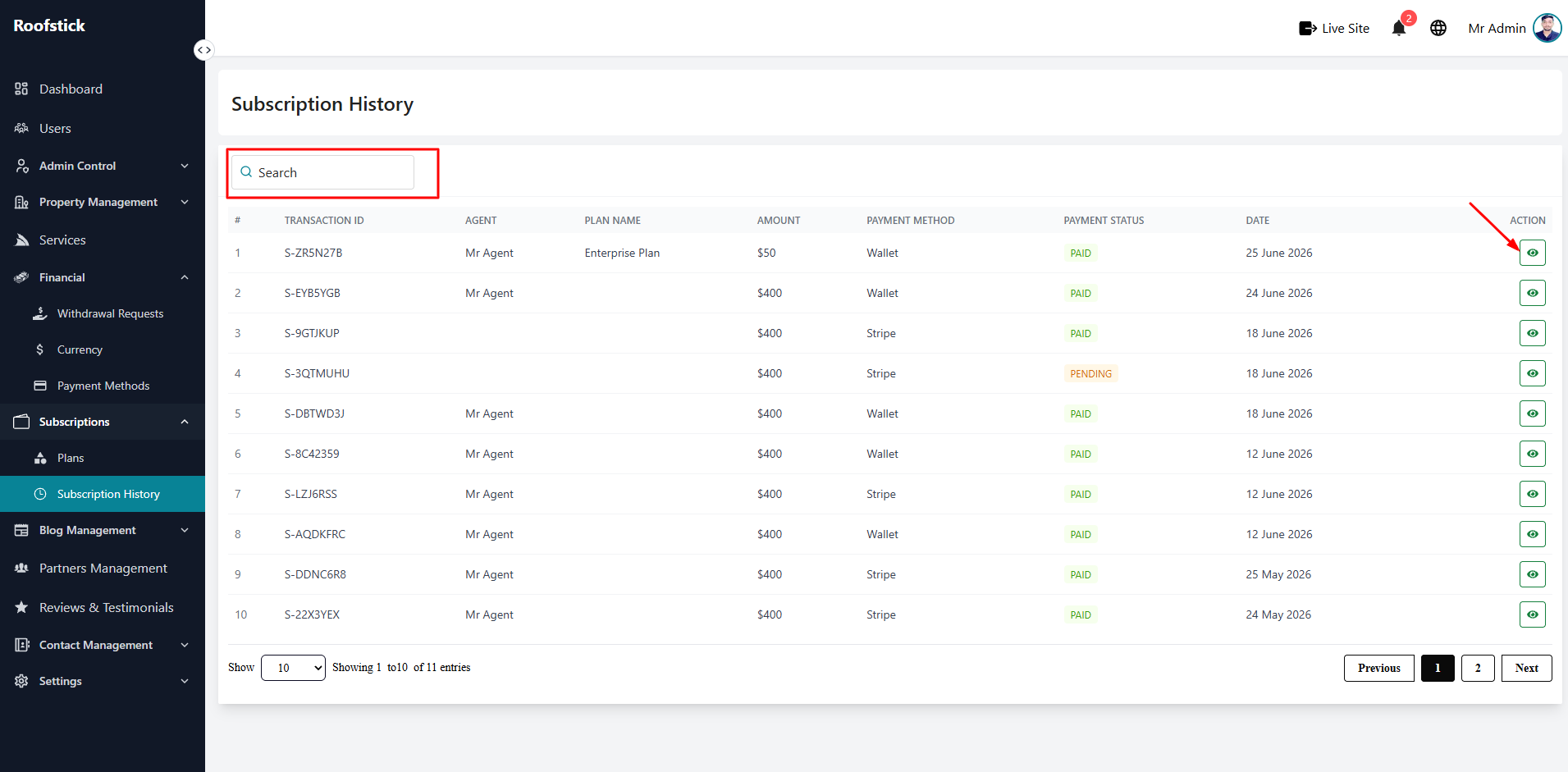
The Subscription History page provides the admin with a complete log of all subscription purchases and renewals made on the platform. From this section, you can monitor user payments, check active plan statuses, and view transaction details.
1. View All Subscriptions
The main table displays a comprehensive list of all subscriptions. You can easily track the user's name, the specific plan they purchased, the payment amount, and whether their subscription is currently active or expired.
2. Subscription Details
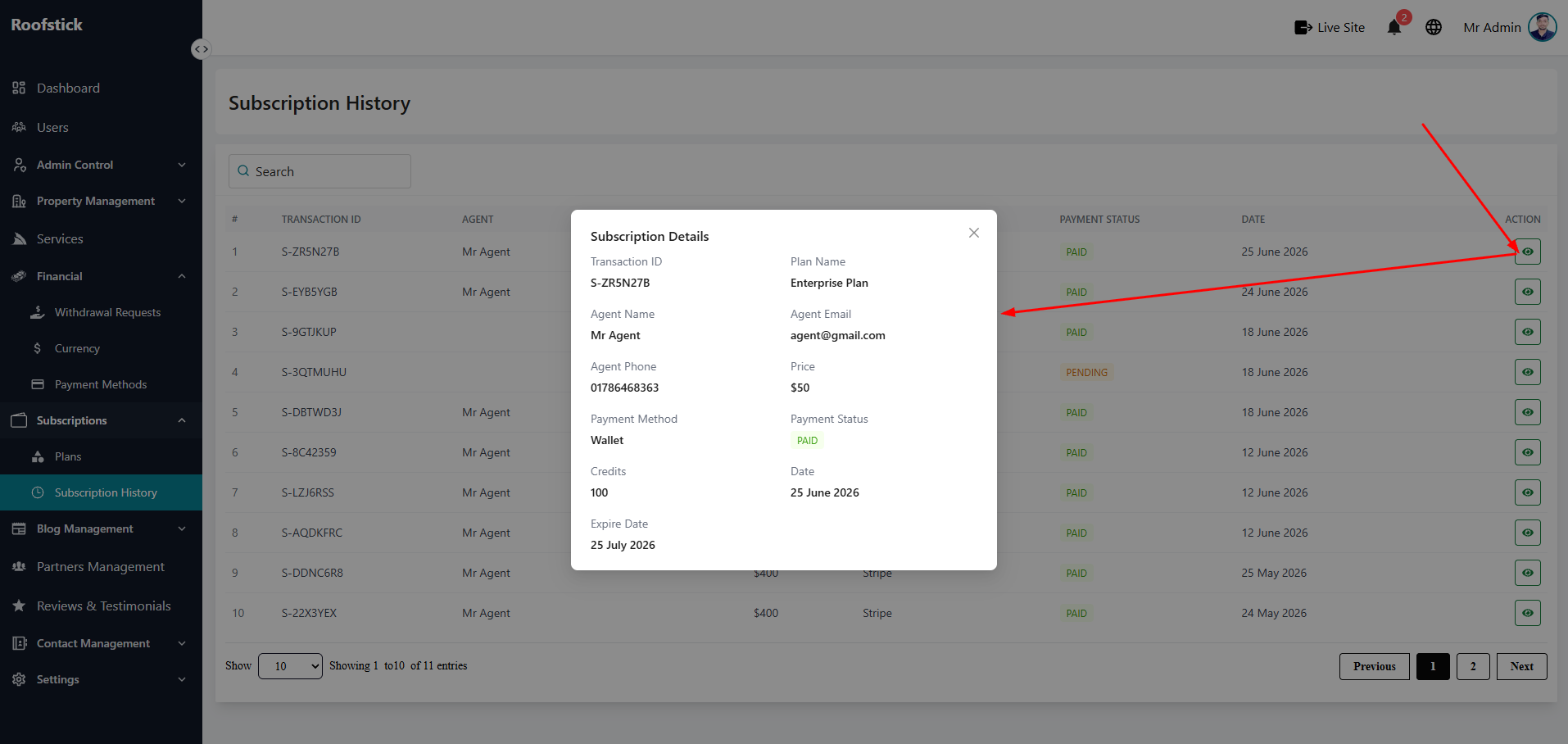
To see the full, in-depth information about a specific transaction, click the View Details button (eye icon) in the action column. This opens a detailed page showing the complete breakdown of the purchase, including the payment method used and the exact start and end dates of the plan.
3. Delete Record
If a transaction record is fraudulent, canceled, or needs to be completely removed from the database, the admin can click the Delete button (trash icon). This permanently deletes the subscription record from the history.