Currency
The Currency page gives the admin complete control over the different monetary currencies supported by the platform. From this page, you can manage how prices and payments are displayed and processed for properties.
1. View All Currencies
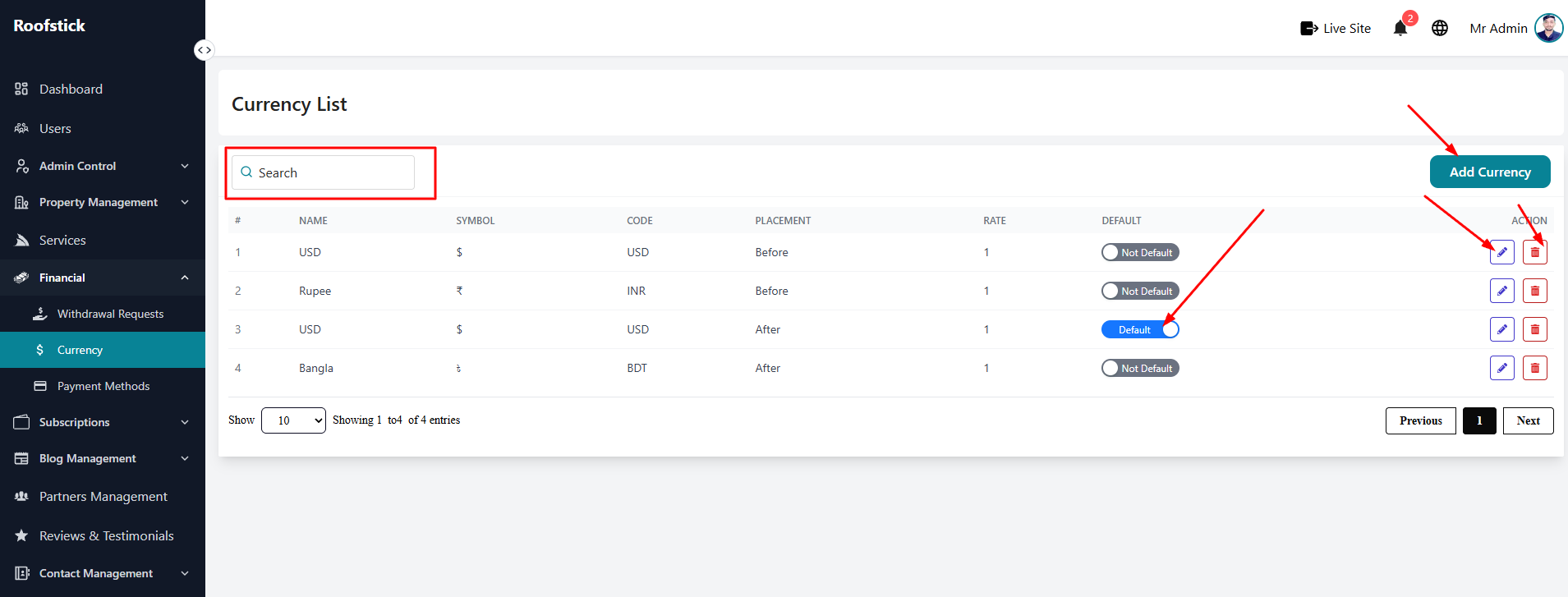
The main table displays a complete list of all currently supported currencies. You can quickly review details like the currency name, code (e.g., USD, BDT), symbol (e.g., $, ৳), and exchange rate.
2. Add New Currency
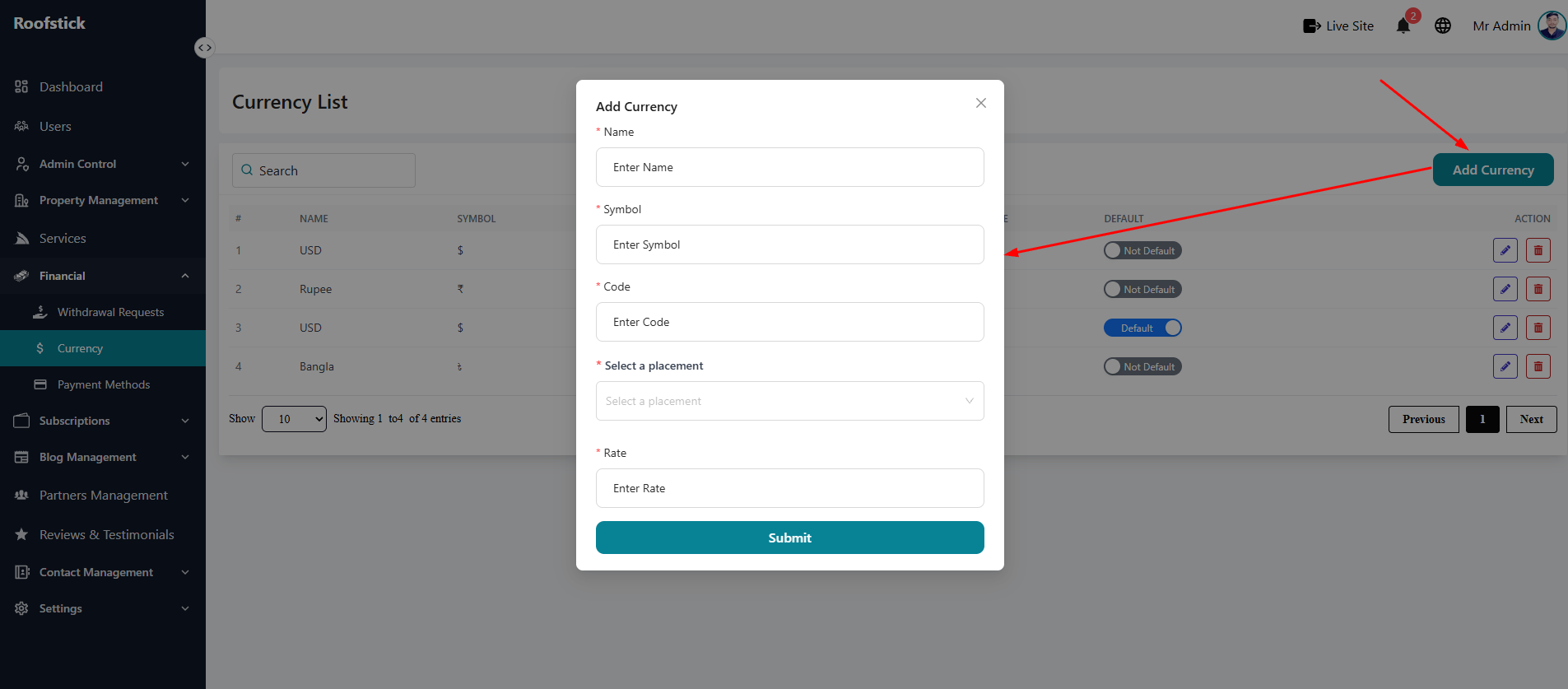
If you want to expand your platform to a new region, you can add a new currency by clicking the Add Currency button. You will need to provide the currency name, code, symbol, and its exchange rate relative to your platform's base currency.
3. Edit Currency
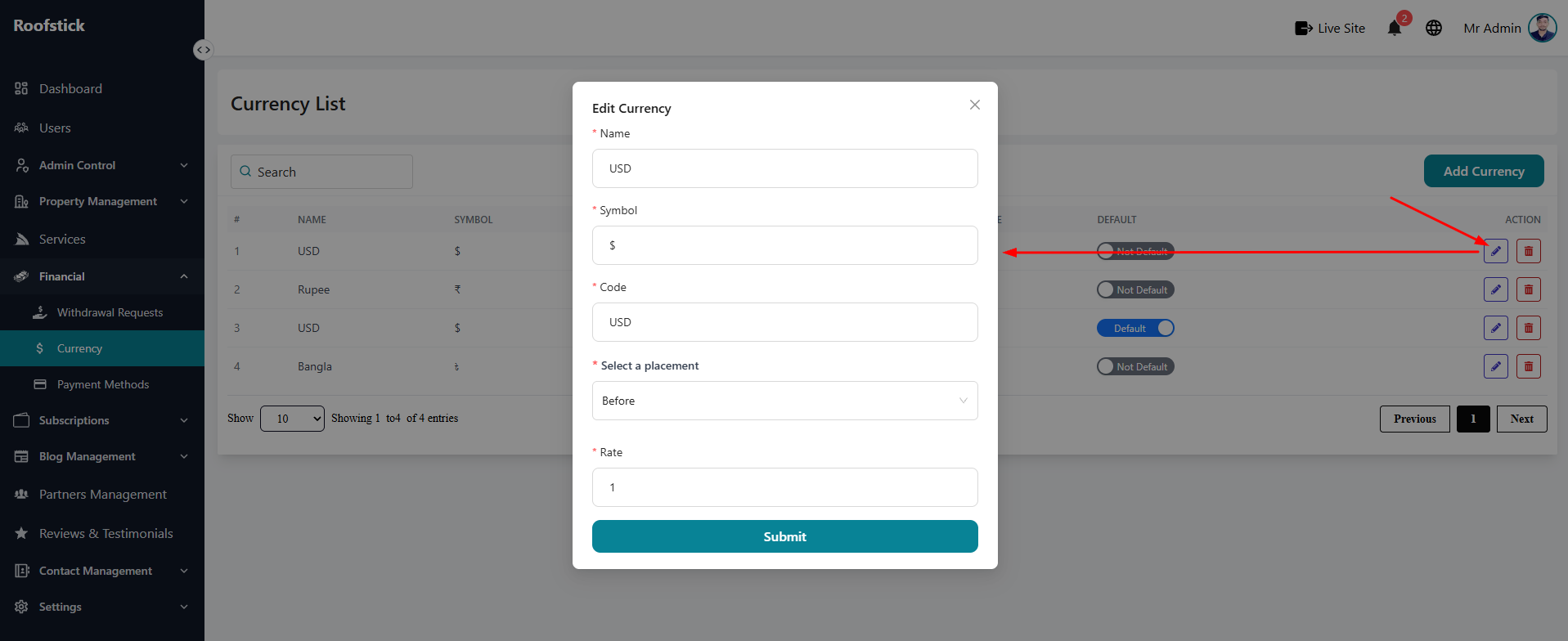
If the exchange rate fluctuates or a symbol needs updating, click the Edit button in the action column. This allows you to quickly adjust the currency's properties and keep your platform's financial data accurate.
4. Delete Currency
If a particular currency is no longer supported on your platform, you can click the Delete button (trash icon). This will remove it from the system entirely.